Webflow vs Adobe Experience Manager (AEM) 2026

Let's Build Your Webflow Website!
Partner with experts who understand your vision. Let’s create a converting user experience and build your website for future growth.
Webflow vs Adobe Experience Manager (AEM): Complete Enterprise Comparison (2026)
If you’re a Fortune 500 company, there are some costly CMS decisions you have to make. If you choose without having a bigger picture of your options, you could face many challenges - high prices, internal team frustration, and years of other problems.
But if you decide right, you will have a helpful tool for your business in the long run.
When deciding between Adobe Experience Manager and Webflow, it’s worth mentioning that it’s not about which one is the better tool. The real comparison deal comes when you detect which tool fits your needs better.
Quick Answer:
Webflow vs Adobe Experience Manager: Adobe Experience Manager (AEM) is an all-encompassing enterprise digital experience platform that is optimal in business organizations with complicated multi-channel requirements, extensive Adobe ecosystem engagement, and yearly budgets of 200 000-1 million dollars and above. Webflow Enterprise is a visual website creation tool that best suits mid-market to enterprise organizations with the desire to have marketing team autonomy, a shorter implementation time (weeks rather than months), and dramatically reduces the total cost of ownership (40K-100K/year). Select AEM when working with complex digital ecosystems; select Webflow when marketers need agility and affordability of websites.
Abstract
Adobe Experience Managers and Webflow are two popular options for enterprise companies. However, they serve different needs even if they’re often compared side by side. Since both platforms have great CMS capabilities, it’s worth comparing their features, TCO, and use case guidance.
Even if AEM is a promising and powerful option, Webflow is more practical for most use cases. This guide is for enterprise decision makers evaluating their CMS options.
As a Webflow Enterprise Partner working with companies from growth-stage to Fortune 1000, we've helped organizations evaluate and migrate from legacy CMS platforms, including AEM.
Quick Decision Guide: Webflow vs. AEM
Use this checklist to determine which platform aligns with your organizational needs and technical debt tolerance.
Choose Adobe Experience Manager (AEM) If:
- Scale: You manage 100+ global sites with complex content inheritance.
- Ecosystem: You are already deeply invested in the Adobe Experience Cloud (Analytics, Target, Campaign).
- Omnichannel: You need a headless DXP to push content to mobile apps, kiosks, and IoT devices.
- Workflows: You require multi-level, multi-region legal and brand approval hierarchies.
- Resources: You have a dedicated team of Java developers and a $500K – $2M+ annual budget.
- Compliance: You are in a highly regulated industry requiring extreme, ground-up customization.
Choose Webflow Enterprise If:
- Focus: Your primary goal is building high-converting marketing websites.
- Speed: You need to launch in weeks (6-12) rather than quarters or years.
- Agility: You want the Marketing Team to update pages without waiting for an IT ticket.
- Design: Brand differentiation and pixel-perfect animations are a high priority.
- Efficiency: You manage 1-20+ sites and want to maximize ROI.
- Budget: You prefer an all-inclusive cost of $40K-$100K/year with minimal maintenance.
The Hybrid Approach
Don't want to choose? Many modern enterprises use both. They leverage Webflow for high-velocity marketing sites (where speed and design win) while retaining AEM for complex, data-heavy digital product experiences.
The Bottom Line
"If you're questioning whether you need AEM, you probably don't. AEM is for organizations with undeniable complexity that justifies its price tag. For marketing excellence, Webflow Enterprise delivers 80% of enterprise capabilities at 20% of the cost."
Webflow and Adobe Experience Manager (AEM) Overview
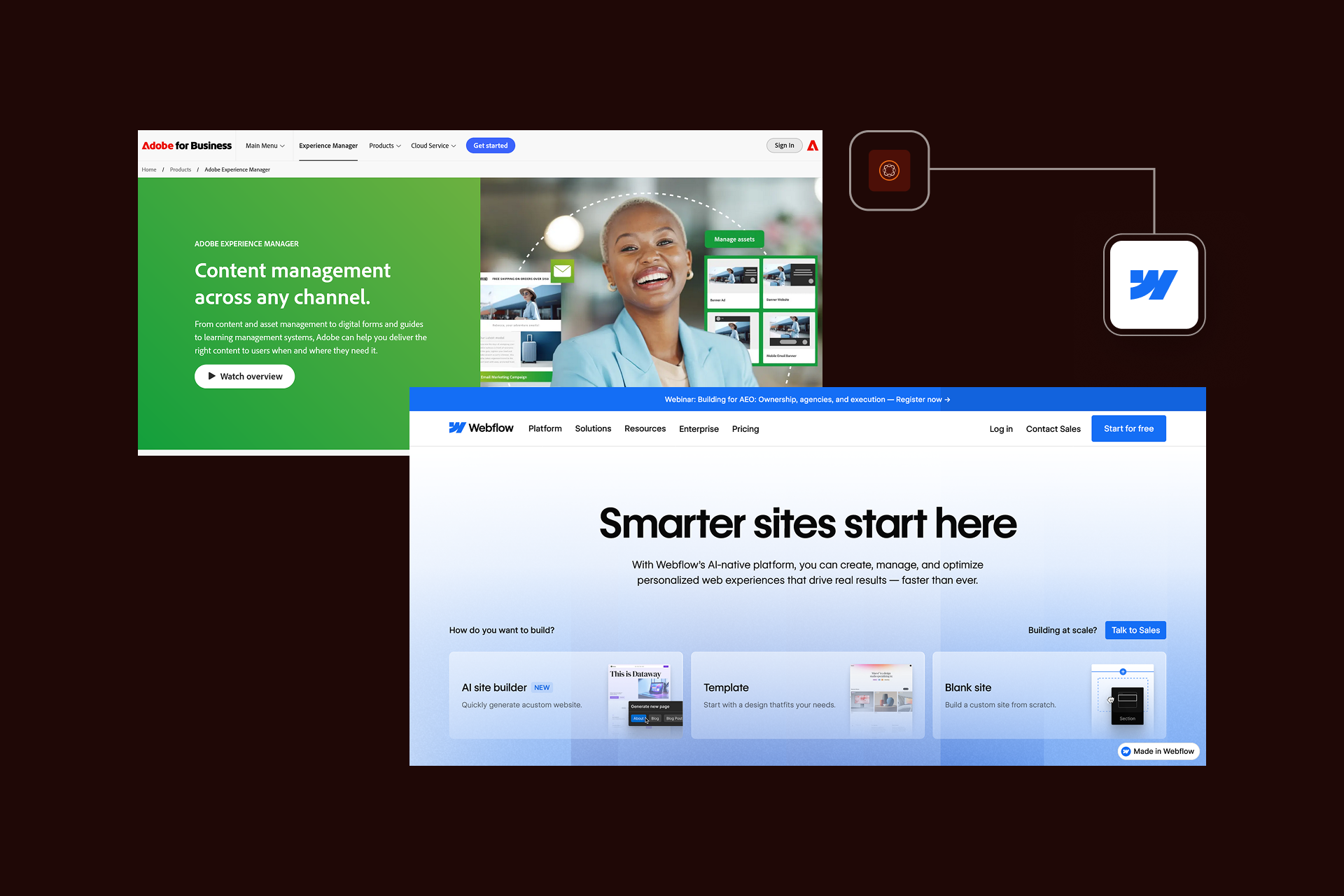
Before we start comparing features and analyzing costs, we have to define what we are actually comparing. Because, here’s the thing:
If you put these platforms side by side, you will see that they’re promising the same solution.
Dig a bit deeper, and you’ll see that at their core they have completely different philosophies.
Introduction to Webflow
Webflow is a no-code, visual website creation tool that is very popular with businesses. Webflow is a platform that allows creating, coding, and publishing websites without traditional coding.
Its key capabilities are:
- Visual design canvas
- Built-in CMS
- Hosting included (AWS-backed)
- Native interaction and animation.
- Clean, semantic code output
Although Webflow was originally built for designers and agencies, it has changed radically. What started as a simple website builder now powers giants like Lattice, NCR and Discord.
Speaking of Webflow in general, it’s worth mentioning that you can create pixel-perfect layout, add animations and interaction, and manage tons of content.
The best thing - you don’t have to touch code. But when something needs to be so custom, expert Webflow development services can get it done for you.
Webflow for Enterprises
Webflow Enterprise is what made a big difference for businesses on Webflow. Some of the core features of Webflow Enterprise are strong security measures, easy login options, very high uptime, and special support.
These features helped Webflow become a viable enterprise solution.. This strengthens independence, so marketing teams have freedom to make changes without relying on developers. With this system, what used to take weeks now takes just hours.
Check our Enterprise work to see how we helped brands like yours.
Introduction to Adobe Experience Manager (AEM)
Adobe Experience Manager is an enterprise Digital Experience Platform. Note these capital letters, because Adobe wants you to understand that AEM isn’t just a CMS. It’s a complex system for an advanced digital ecosystem, and it combines:
- Content management
- Digital asset management
- Headless delivery
- Deep integration across Adobe's Experience Cloud
AEM was built for scale, and not just traffic scale (even if it handles that), but for organizational scale. It serves organizations across multiple brands, markets, and content creators. It shines with complex approval workflows and content that needs to flow across websites, apps, and IoT devices.
There are also content fragments and experience fragments for reusable content, integration with Adobe Asset Manager for enterprise DAM, and personalization through Adobe Target.
But the truth that AEM sales reps often skip over is that this power has high costs. We’re not talking about just licensing fees (though those are eye-watering), but implementation timelines are often measured in quarters, not weeks.
Learning curves are so steep that they require formal training programs for teams. For many organizations, Adobe Experience Manager offers advanced capabilities they don't actually need. This complexity makes it difficult and inefficient to manage for everyday operations..
Key Differences Between Webflow and AEM
Remove marketing language, and the fundamental difference comes down to their philosophy.
AEM asks: "What if we built a platform that could do everything an enterprise might need?"
Webflow asks: "What if we made building great websites dramatically easier?"
AEM positions itself as the answer to "We need a digital experience platform for everything." Webflow's value proposition is simpler: "We need a great marketing website, fast."
Of course, there’s overlap:
- Both platforms serve enterprise needs
- Both offer security and compliance features
- Both support content at scale
But where AEM is architected for unlimited complexity, Webflow is optimized for speed and autonomy.
Webflow vs. Adobe Experience Manager: Platform Comparison
Key Insight: AEM is more powerful for complex digital ecosystems and omnichannel delivery. Webflow is more practical for marketing website excellence, offering high performance and team autonomy at a fraction of the cost and complexity.
Feature Comparison: Webflow vs Adobe Experience Manager
When we compare features, we want to be tactical and forget about the fancy sales pitch. What really matters when you're building a big website is:
Is it easy to use, does it work fast, and can it grow with you?
Let’s break down their key capabilities.
Design Tools and Customization Options
Webflow
Webflow's design approach is very clear. When you open the Designer, you're looking at a visual canvas that almost feels like Figma. Except that you’re right away building a production-ready website, not a prototype.
Webflow design capabilities include:
- Full CSS control through a visual interface
- Real-time preview across breakpoints
- Native interactions and animations
Adobe Experience Manager
When it comes to the design, AEM takes a fundamentally different approach. You design on templates and components developed by engineers.
Adobe provides Core Components and pre-built elements like:
- Carousels
- Forms
- Teasers
However, if you want to design anything beyond that, you’ll need a Java developer.
The verdict: Webflow provides extraordinary design freedom within the platform's boundaries. Changes that would take a developer sprint in AEM happen in hours in Webflow.
Design & Customization Comparison
Design Approach
Customization Comparison
Design Workflow
The Trade-off: Which should you prioritize?
Note: For most marketing website use cases, Webflow's design approach is more efficient and provides a better ROI. AEM's approach is justified only when extreme, enterprise-wide customization or omnichannel content fragments are truly required.
Content Management and Authoring
Webflow
Webflow's CMS is elegantly simple to use, even for users without technical knowledge.
Within the platform, you:
- Create Collections (eg, blog posts, team members, case studies)
- Define fields (text, images, references, numbers)
- Build dynamic pages that pull from those collections
The interface is visual and intuitive; content editors see a clean form, fill in fields, and publish.
AEM
AEM's content management is comprehensive. Component-based authoring means editors drag pre-built components onto pages, while content fragments enable headless content creation.
The platform includes:
- Advanced workflow and approval systems
- Detailed version control with rollback capabilities
- A multi-site manager for content inheritance
- Native translation management for global operations
The verdict: The content management winner depends entirely on your content operations. Simple to moderate content needs with straightforward publishing workflows? Webflow's elegant simplicity is a feature, not a limitation. Complex enterprise content operations with multiple approval stages and translation workflows? AEM was built for exactly this scenario.
Scalability and Integration Capabilities
Webflow
Webflow runs on AWS infrastructure with a global CDN spanning 100+ edge locations. Enterprise customers get a 99.99% uptime SLA. For 1-20 sites focused on marketing, Webflow's scalability is more than sufficient. Webflow integrations are native with key tools (HubSpot, Salesforce, Google Analytics) plus Zapier for extending connectivity.
AEM
AEM's scalability is almost unlimited. Managing 100+ sites? It’s a standard operating procedure for AEM. Global deployment across multiple data centers? Already built into the system.
AEM's integration story centers on the Adobe ecosystem. Native integration with Adobe Analytics, Adobe Target for personalization, Adobe Campaign for email marketing, and Adobe Commerce for e-commerce. If you're invested in Adobe's stack, the integration story is compelling.
The verdict: Again, the winner is the one that offers a better integration stack for your daily operations.
Marketing & SEO
When it comes to SEO and marketing performance, the differences between Webflow and AEM reflect their broader purpose.
Webflow SEO
Webflow offers SEO features that work out of the box without technical overhead. You have full control over meta titles and descriptions, automatic sitemap generation, clean semantic HTML, and built-in support for structured data. Page speeds are consistently strong, a direct SEO ranking factor, and managing essentials like 301 redirects and alt text is straightforward.
For most marketing teams, Webflow provides everything needed to maintain strong SEO performance with minimal developer involvement.
AEM SEO
AEM offers powerful SEO capabilities, but they depend heavily on proper configuration. Metadata fields, canonical tags, and structured data can all be customized, yet these require developer setup and governance.
Integration with Adobe tools can enhance marketing automation and analytics, but the complexity means results vary widely based on implementation quality.
The verdict: Webflow delivers fast, accessible SEO control, while AEM provides deeper power but the cost is heavy technical dependency.
Webflow vs. AEM: Feature Comparison Matrix
Design & Development
Content Management
Enterprise Features
Marketing & SEO
Legend:
- ✅ = Strong/Native Support
- ⚠️ = Limited or Third-party
- ❌ = Not Available
Key Insight: Webflow wins on speed, ease of use, and total cost. AEM wins on massive scale, organizational complexity, and native Adobe ecosystem integration. Choose based on your actual daily operational needs, not theoretical capabilities.
Hosting and Performance
Webflow
With Webflow, hosting isn't a separate decision, it's included in the plan.
It includes:
- AWS infrastructure
- Global CDN (Fastly and CloudFlare)
- Automatic SSL
- On Enterprise plans, that 99.99% uptime SLA
There's no server to manage and no infrastructure team required. In practice, Webflow sites are fast. Load times typically hit 1-2 seconds, and Core Web Vitals scores are excellent by default.
AEM
AEM hosting is more complex than Webflow’s.
Hosting options include:
- AEM as a Cloud Service (Adobe managed)
- AEM Managed Services
- Self-hosted
This flexibility is valuable for enterprises with specific infrastructure requirements, but it adds complexity. You need an infrastructure team or agency partner to manage hosting, optimize performance, and ensure uptime.
The verdict: The choice comes down to simplicity versus control.
Decision-Making: Choosing Between Webflow and Adobe Experience Manager
So you've seen the features and understand key differences between Webflow and AEM. Now comes the hard part: making the actual decision.
Because in enterprise software, the "best" platform is meaningless, what matters is the right platform for your specific situation.
Ease of Use and Learning Curve
Webflow
Webflow's learning curve is moderate. Designers find the interface intuitive. If you understand CSS concepts like flexbox, grid, and positioning, you'll be productive quickly. Marketing teams can learn the basics in a day and achieve proficiency in weeks.
AEM
AEM's learning curve is highly demanding. This is an enterprise platform with enterprise complexity. New users need technical backgrounds, formal training, and months of hands-on experience before they're productive. The operational impact is significant.
The verdict: With Webflow, marketing teams can iterate independently on new landing pages, design updates, and content changes happen without IT involvement. With AEM, most changes flow through IT, creating bottlenecks. This isn't a criticism of AEM; it's an acknowledgment of different design philosophies.
Pricing and Cost Considerations
Let's talk about money, because the price gap between these two is massive.
Webflow
Webflow Enterprise pricing is custom but typically ranges from $40K to $100K annually. That includes hosting, CDN, SSL, and platform access for unlimited editors. Implementation typically costs $50K-$150K, depending on complexity. Ongoing maintenance is minimal, maybe $30K-$90K annually.
AEM
AEM pricing is significantly higher. License fees start at $200K and easily exceed $500K annually. Implementation projects routinely cost $500K to $2M+. Ongoing maintenance and support run $100K-$300K+ annually. Add in training, customization, and the Adobe ecosystem tools, and costs compound quickly.
The verdict: Webflow is more budget-friendly than AEM.
3-Year Total Cost of Ownership (TCO) Comparison
Direct Costs
Indirect Costs
Total Cost of Ownership (3-Year Projection)
Annual Operating Cost (Post-Implementation)
Implementation Timeline & Oppurtunity Cost
ROI Consideration: "The question isn't whether AEM has more features, it does. The question is whether those additional features justify 5–10x the cost for your specific business needs."
Note: These are representative ranges based on enterprise standards. Actual costs vary significantly by project scope, complexity, and vendor negotiations. Contact vendors for accurate, customized quotes.
Use Cases and Business Scenarios
While theory is interesting, practice is what concerns most of the teams. When does each platform actually make sense?
Choose AEM when:
- You're a Fortune 500 company managing 100+ sites globally
- Have deep investment in Adobe's ecosystem
- Your digital experience spans multiple channels (web, mobile apps, kiosks, IoT devices)
- You need true headless content delivery
- Regulatory requirements demand extreme customization
- You're managing multi-brand/multi-region complexity at scale
- Budget constraints are not a primary concern
Choose Webflow when:
- Marketing websites are your primary digital presence
- Speed to market is a competitive advantage
- Design and brand differentiation matter significantly
- Marketing team autonomy is a strategic priority
- You're managing 1-20 sites focused on marketing
- Cost efficiency matters
- Website performance impacts your business
- You want to reduce IT dependency
Hybrid Approach
Real-world pattern we see increasingly: hybrid approaches. Some enterprises use Webflow for their marketing websites (where speed, design, and autonomy matter) while maintaining AEM for complex digital product experiences. This isn't a compromise; it's using the right tool for each job.
When to Choose Each Platform: Scenario Guide
By Organization Profile
By Digital Presence Needs
By Team Composition
By Primary Strategic Priority
Industry Guidance
Key Takeaway: When in doubt, start with Webflow. It is far easier to expand a flexible system than to simplify a complex one. AEM should be a deliberate, specialized choice based on undeniable technical requirements.
Strengths and Weaknesses of Each Platform
Webflow strengths
- Design freedom and visual development
- 10x faster implementation
- Marketing team autonomy
- 5-10x cost efficiency
- modern performance and SEO excellence
- Clean semantic code
- Rapidly maturing enterprise features
- Active agency ecosystem.
Webflow weaknesses
- Enterprise features are less mature than decade-old platforms
- Limited native personalization
- Multi-site management is still developing
- Not a full DXP, e-commerce limitations
- Smaller enterprise customer base
AEM strength
- Virtually unlimited scalability
- Deep Adobe integration
- Complex workflow management
- Best-in-class multi-site/multi-language management
- Headless content delivery
- Extensive customization capabilities
- Proven at Fortune 500 scale
AEM weaknesses
- Extremely high TCO
- Implementation timelines in quarters, not weeks
- Extreme learning curve
- IT dependency creating bottlenecks
- Complexity often exceeds requirements
- Slow iteration cycles
- Requires specialized, expensive talent
- Often overkill for marketing websites
The verdict: Neither platform is universally "better." They excel in different dimensions because they're designed for different scenarios.
Platform Strengths and Weaknesses Comparison
Webflow Enterprise
Adobe Enterprise Manager (AEM)
Direct Comparison Matrix
Note: Neither platform is universally "better." Webflow excels at marketing website speed, design excellence, and cost-efficiency. AEM excels at managing complex enterprise digital ecosystems and global omnichannel scale. Match the tool to your actual operational needs, not your theoretical maximums.
Alternatives and Future Considerations
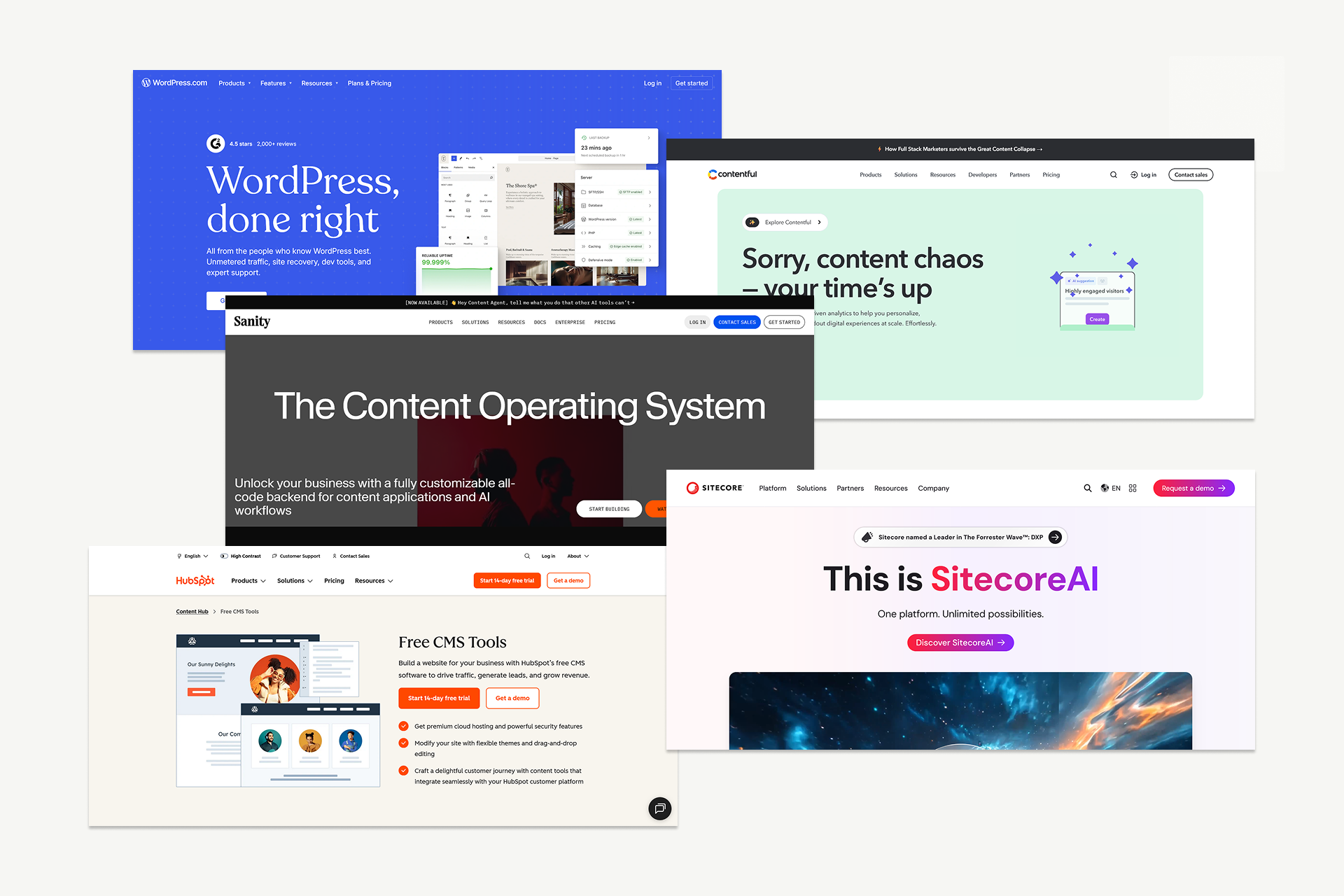
When comparing Webflow and AEM, it’s worth understanding where other platforms fit in the broader landscape.
Each solves a different kind of problem:
Looking ahead, several trends are shaping enterprise web infrastructure:
- The rise of composable and headless architectures
- Increasing empowerment of marketing teams
- Deeper scrutiny of TCO
- Rapid improvements in AI-driven content, automation, and personalization
Visual development tools are also gaining serious enterprise traction, and Webflow Enterprise continues to mature feature-by-feature.
Migrations from AEM to Webflow are becoming more common, just like WordPress to Webflow migrations. Both are driven by cost reduction, faster iteration, and the desire for team autonomy.
Shadow Digital frequently evaluates these transitions, and while Webflow is often the better fit, some organizations truly need the full capabilities of platforms like AEM.
Alternative Platforms to Consider
If Webflow isn't quite right:
If AEM isn't quite right
Full Alternative Comparison Matrix
Quick Decision Matrix: Finding Your Match
Note: This is not an exhaustive list; the CMS market is diverse and rapidly evolving. Shadow Digital can help you evaluate these options based on your specific requirements, technical debt, and long-term goals.
Final Decision Framework: Webflow vs. AEM
Step 1: Assess Your Requirements
Step 2: Score Your Situation
Rate each factor from 1 (Low) to 5 (High).
Step 3: Interpret Your Score
Quick Decision Rules
Shadow Digital's Recommendation
"For most enterprises evaluating today, Webflow Enterprise is the right choice unless you have specific, documented requirements that only AEM can meet. The 5-10x cost savings alone can fund an entire year of other marketing initiatives. If you are currently on AEM and questioning its value, a migration assessment is likely your highest-ROI next move."
Next Steps for Your Team:
- Document: List your specific, non-negotiable technical requirements.
- Audit: Assess your current team skills and existing software stack.
- Demo: Schedule specific use-case demos for both platforms.
- Calculate: Run a custom 3-year TCO (Total Cost of Ownership) analysis.
- Consult: Speak with an implementation partner to validate your plan.
- Decide: Present findings to leadership with clear evidence.
Conclusion
Here's what this comparison ultimately reveals: Adobe Experience Manager and Webflow Enterprise aren't really competitors, like Webflow vs WordPress. They're designed for different scenarios.
AEM is powerful, costly, and complex, best suited for Fortune 500 companies managing 100+ global sites, requiring omnichannel content, and deep Adobe integration.
For most enterprises focused on marketing websites, AEM is overkill, costing 5-10x more and taking 10x longer (6-18 months vs. 6-12 weeks for Webflow).
Webflow Enterprise is a viable, more affordable alternative ($200K-$550K vs. $1.5M-$4.5M+ for AEM) that prioritizes speed, design, and marketing team autonomy.
Unless specific AEM requirements exist, Webflow is the more practical choice for most enterprises today due to its maturity, cost advantage, and marketing autonomy.
Shadow Digital helps organizations navigate exactly this decision. We assess platform fit based on your specific requirements, execute Webflow Enterprise implementations with enterprise-grade quality, and support migrations from legacy platforms, including AEM.
Contact us, and we’ll help you make the right decision for your business.
Frequently Asked Questions
General
What is the main difference between Webflow and Adobe Experience Manager?
The fundamental difference is philosophy and scope. Adobe Experience Manager is a comprehensive Digital Experience Platform designed for Fortune 500 companies managing complex, multi-channel digital ecosystems with 100+ sites.
Webflow Enterprise is a visual website development platform optimized for marketing websites where speed, design excellence, and team autonomy matter most. AEM offers unlimited customization but requires significant development resources, long implementations (6-18 months), and budgets starting at $200K annually.
Webflow delivers faster implementation (6-12 weeks), visual development without coding requirements, and costs 5-10x less. Think of AEM as an enterprise IT infrastructure and Webflow as a marketing empowerment tool to solve different problems.
Is Webflow suitable for enterprise use?
Absolutely, though with important caveats. Webflow Enterprise includes SOC 2 Type II compliance, SSO/SAML authentication, 99.99% uptime SLAs, advanced security features, and dedicated support meeting core enterprise requirements. Companies like Lattice, NCR, and Discord use Webflow for their marketing websites.
However, "enterprise use" covers a spectrum. Webflow excels for marketing websites, corporate sites, and content-driven properties up to approximately 20 sites. It's less suitable for organizations needing 100+ site management, complex multi-channel content delivery to mobile apps and IoT devices, or extreme customization beyond web standards.
For enterprises focused on marketing web presence rather than complex digital ecosystems, Webflow is genuinely enterprise-ready.
Can Webflow replace Adobe Experience Manager?
For some organizations, yes. For others, no. Webflow can replace AEM when your primary need is marketing websites with modern design, fast page speeds, and team autonomy, especially if you're managing 1-20 sites and want to reduce IT dependency. Many mid-market and enterprise companies discover AEM is overkill for their actual requirements.
However, Webflow cannot replace AEM for organizations truly requiring a Digital Experience Platform: 100+ site management, headless content delivery across multiple channels (mobile apps, kiosks, IoT), deep Adobe ecosystem integration, or complex workflow requirements.
Increasingly, we see hybrid approaches, Webflow for marketing websites where speed matters, and AEM retained for complex digital product experiences. The replacement question depends entirely on your specific use case.
Features
Does Webflow have enterprise-grade security like AEM?
Webflow Enterprise offers robust security meeting most enterprise requirements: SOC 2 Type II compliance, SSO/SAML authentication, 99.99% uptime SLA, GDPR compliance, and HIPAA-ready infrastructure.
The platform runs on AWS with global CDN, automatic SSL, and DDoS protection. For marketing websites and content properties, Webflow's security is genuinely enterprise-grade. However, AEM offers additional enterprise security features valuable in specific scenarios: more granular permission controls, advanced workflow-based governance, and integration with enterprise identity management systems.
For highly regulated industries (financial services, healthcare) with extreme compliance requirements, AEM's mature security model may be necessary. For most enterprise marketing use cases, Webflow's security is comprehensive and appropriate.
How does Webflow's CMS compare to AEM's content management?
Webflow's CMS prioritizes simplicity and speed; content editors work with intuitive visual interfaces, create and publish content quickly, and don't require extensive training. It's collection-based (think: blog posts, team members, products) with straightforward field types and relationships. Perfect for marketing content workflows.
AEM's content management is significantly more sophisticated: component-based authoring, content fragments for headless delivery, experience fragments for reuse, advanced approval workflows, multi-site content inheritance, and native translation management. AEM handles enterprise complexity, multiple approval stages, content reuse across dozens of sites, and governance at scale.
The comparison depends on your content operations. Simple to moderate content with straightforward publishing? Webflow's elegance is an advantage. Complex enterprise content operations spanning multiple markets and languages? AEM was built exactly for this.
Can Webflow handle multi-site management like AEM?
Webflow can manage multiple sites, but not with AEM's sophistication. Webflow Enterprise customers can manage multiple sites under one account with centralized billing and team management. You can share components and design systems across sites.
However, Webflow lacks AEM's multi-site manager features: content inheritance and rollout across site hierarchies, blueprint and live copy mechanisms, or centralized governance for 100+ sites. For organizations managing 1-20 sites, particularly marketing-focused properties, Webflow's multi-site capabilities are sufficient.
For enterprises managing dozens or hundreds of sites with complex content relationships and rollout requirements, AEM's multi-site management is far more robust. This is a key differentiator if your digital footprint spans numerous properties requiring centralized governance.
Cost & Implementation
How much does Webflow Enterprise cost compared to AEM?
The cost difference is substantial, typically 5-10x.
Webflow Enterprise pricing is custom but generally ranges from $40K-$100K annually, including hosting, CDN, and platform access.
Implementation costs $50K-$150K depending on complexity. The
three-year total cost of ownership: approximately $200K-$550K.
Adobe Experience Manager licensing starts at $200K-$500K+ annually, plus AEM Cloud Service infrastructure costs.
Implementation projects cost $500K-$2M+.
Ongoing maintenance runs $100K-$300K+ yearly.
Three-year TCO for AEM: $1.5M-$4.5M+.
This doesn't include hidden costs like specialized talent (AEM developers are expensive and scarce) or training programs. The dramatic cost difference makes Webflow attractive for organizations where AEM's additional capabilities don't justify 10x the investment.
How long does it take to implement Webflow vs. AEM?
Implementation speed differs dramatically. Webflow Enterprise implementations typically take 6-12 weeks from kickoff to launch, sometimes faster for simpler sites. The visual development approach, including hosting, and the lack of complex configuration, mean you're building and launching, not configuring infrastructure. AEM implementations take 6-18 months on average, sometimes longer for complex ecosystems.
You're not just building websites; you're configuring workflows, integrating with Adobe tools, training teams, and setting up governance. This 10x difference in timeline has real business impact: faster time-to-market, reduced project risk, and quicker realization of value.
For organizations where speed is a competitive advantage, Webflow's implementation velocity is transformative.
What is the total cost of ownership difference?
Over three years, the TCO difference is striking. Webflow Enterprise: $200K-$550K total (platform licensing $120K-$300K, implementation $50K-$150K, ongoing maintenance $30K-$90K). Adobe Experience Manager: $1.5M-$4.5M+ total (licensing $600K-$1.5M, implementation $500K-$2M, maintenance $300K-$900K, plus team/resource costs).
AEM costs 5-10x more than Webflow. This includes not just licensing but implementation complexity, specialized technical talent requirements, training, and ongoing support needs. The TCO difference isn't subtle; it's often the deciding factor for cost-conscious enterprises.
The critical question: Do you truly need capabilities that justify 10x the investment? For many organizations focused on marketing websites, the answer is no.
Migration & Decision
Can you migrate from AEM to Webflow?
Yes, and it's increasingly common. Organizations migrate from AEM to Webflow primarily for three reasons: unsustainable total cost of ownership, frustratingly slow iteration cycles, and desire for marketing team autonomy.
The migration involves content audit and mapping, design translation to Webflow's visual platform, content migration (often cleaner and more structured in the process), integration setup, and team training. Typical timeline: 8-16 weeks, depending on content volume and complexity. Not every AEM installation should migrate organizations with true Digital Experience Platform needs, 100+ sites, or deep Adobe ecosystem dependence may genuinely require AEM.
But many discover they're paying for far more platforms than they need. Shadow Digital assesses migration feasibility and executes AEM-to-Webflow migrations for organizations ready to simplify their CMS stack.
When should you choose AEM over Webflow?
Choose Adobe Experience Manager when you genuinely need a Digital Experience Platform, not just a marketing website.
Specific scenarios where AEM makes sense:
Fortune 500 organizations managing 100+ sites globally; companies requiring headless content delivery across web, mobile apps, kiosks, and IoT devices; organizations deeply invested in Adobe's ecosystem (Analytics, Target, Campaign, Commerce) where integration ROI justifies costs; multi-brand, multi-region enterprises with complex content inheritance requirements; regulated industries (financial services, healthcare, government) with extreme customization and compliance needs; and companies with existing AEM expertise and infrastructure.
If your digital presence is primarily marketing websites, you don't need omnichannel content delivery, and cost efficiency matters.Webflow is more practical. AEM is the right choice when its unique capabilities align with genuine business requirements.
What companies use Webflow Enterprise instead of AEM?
Webflow Enterprise customers span mid-market to enterprise across multiple industries. Public examples include Lattice (HR technology), NCR (enterprise technology), Discord (communications platform), and numerous growth-stage tech companies. Many enterprise customers aren't publicly disclosed due to competitive sensitivity.
The pattern we observe: technology companies, SaaS businesses, professional services firms, and design-forward brands choose Webflow when marketing website excellence matters more than managing complex digital ecosystems. These organizations prioritize speed to market, design differentiation, marketing autonomy, and cost efficiency.
They're often moving from WordPress, Drupal, or older CMS platforms, occasionally from AEM when they realize they're paying for capabilities they don't use. Enterprise adoption is accelerating as Webflow's security, compliance, and feature maturity address traditional enterprise concerns.