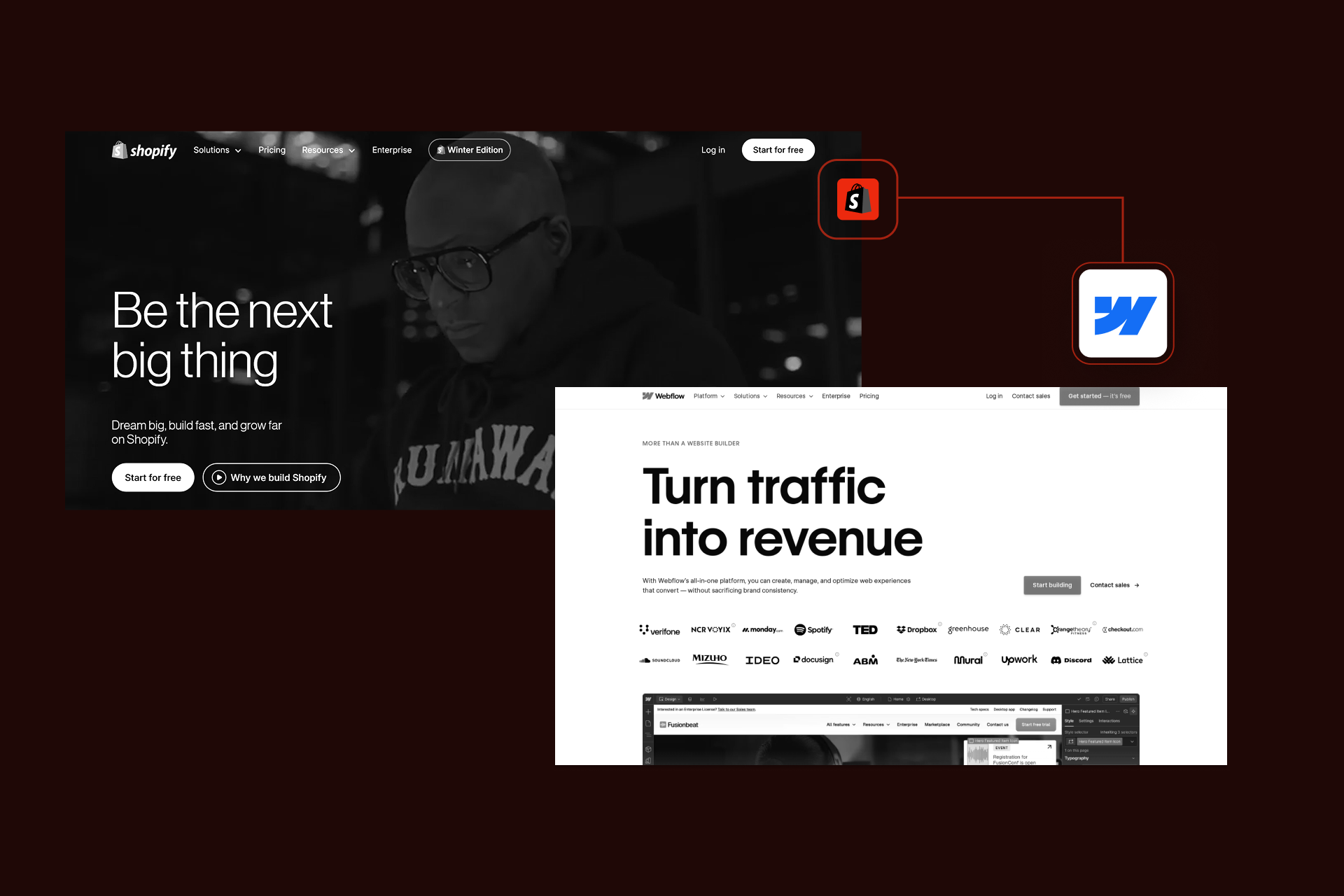
Webflow Shopify Integration: Enterprise Guide (2026)

Let's Build Your Webflow Website!
Partner with experts who understand your vision. Let’s create a converting user experience and build your website for future growth.
The Enterprise Guide to Webflow Shopify Integration: Design Freedom Meets Ecommerce Power
Enterprise brands increasingly face a challenging choice when looking to build ecommerce experiences. The principal options are to accept Shopify’s operational strength with limited flexibility, or leverage Webflow’s creative freedom without enterprise-grade ecommerce infrastructure. For businesses that don’t want to compromise on experience or scalability, Webflow Shopify integration offers a strategic middle ground.
Definition
Webflow Shopify integration connects Webflow's pixel-perfect design capabilities with Shopify's robust ecommerce infrastructure, allowing brands to build custom storefronts in Webflow while leveraging Shopify for checkout, payments, inventory, and order management. This hybrid approach is ideal for brands that have outgrown template-based themes and need complete creative control without sacrificing ecommerce reliability.
Abstract
Ecommerce is a core revenue channel for many modern enterprises, but this means teams are under pressure to deliver high-performance shopping experiences without sacrificing operational reliability. While Shopify provides a definitive ecommerce backend, its theme-driven frontend can be limiting. Webflow offers unassailable design flexibility and content control, but it can lack the depth for more complex ecommerce operations at scale.
This guide provides a comprehensive framework for implementing and optimizing Webflow Shopify integration - from lightweight Buy Button embeds to advanced Storefront API and middleware-driven architectures. Readers will be able to learn which integration approach aligns perfectly with their business goals, as well as the technical and operational resources that are required.
Shadow Digital is a Webflow Enterprise Partner that designs complex Webflow integrations for B2B and D2C brands requiring custom digital experiences at scale.
Quick-Reference Integration Decision Matrix
Enterprise teams evaluating Webflow Shopify integration typically fall into one of four different implementation paths. The correct choice depends entirely on catalog size, design requirements, operational complexity, and long-term scalability goals.
Quick Decision
If you are looking to sell more than 10-20 products and you want to have full design control via Webflow CMS, there’s every chance that the Shopify Buy Button will become restrictive.
For teams that are growing, middleware tools provide the ideal middle ground, to help you balance flexibility with manageable complexity. Companies with large catalogs, custom product logic, or long-term scalability will generally benefit the most from Storefront API or custom integration.
1. Why Integrate Webflow With Shopify? The Strategic Case
For enterprise teams, Webflow Shopify integration is a strategic response to the developing importance of the brand experience for buyers. Digital channels drive revenue these days, but teams increasingly face challenges between Shopify’s operational strength and the design flexibility that comes with Webflow. Integration is a core part of relieving this tension without sacrificing scalability.
1.1 The Design vs. Functionality Tradeoff (And How to Solve It)
Shopify is purpose-built for ecommerce operations, handling checkout payments, inventory, and fulfillment with reliability, but its theme-based frontend can shackle design flexibility. Webflow offers significantly greater creative control and marketing agility, but lacks the operation depth that is required for complex commerce at scale.
Integration solves this tradeoff by separating presentation from operations - with Webflow as the experience layer, and Shopify as the system of record.
Strategic Decision Framework
Integrate Webflow with Shopify when:
- Marketing teams need control over content & layouts
- Shopify’s ecommerce operations are already trusted
- Design differentiation is a competitive advantage
Steer clear of integration when:
- Product logic is minimal
- Maintenance resources are unavailable
- Simplicity and speed trump customization
1.2 What Becomes Possible: Integration Capabilities Overview
Webflow Shopify integration unlocks capabilities that neither of these platforms is able to fulfill on their own. Your teams can embed Shopify Buy Buttons into Webflow pages to provide lightweight commerce functionality. Advanced integrations allow Shopify products to populate Webflow CMS-driven layouts.
Storefront API integrations can support headless commerce, which results in Webflow taking charge of the entire frontend experience. Conversely, Shopify oversees things like inventory and payments, helping enable custom storefronts and scalable operations, and maintaining creative control.
[ Webflow Frontend ]
|
| (Design, CMS, Content)
v
[ Middleware / Storefront API ]
|
| (Product Sync / API Calls)
v
[ Shopify Backend ]
|
| (Checkout, Payments, Inventory, Orders)
v
[ Customers & Fulfillment ]
1.3 Integration Methods: Choosing Your Approach
There are three core ways of being able to implement Webflow Shopify integration, and the approach you choose to take depends a lot on your design requirements, catalog size, and scalability options.
The Shopify Buy Button is the most accessible option, allowing your team to embed individual products directly onto Webflow’s pages, with minimal setup. This is the ideal option for brands that are looking to add light ecommerce functionality to their existing Webflow site, or brands with a small catalog of products. However, it’s a less optimal choice for larger organizations, and those with a more robust catalog.
Conversely, Middleware tools like Whalesync offer the ideal middle ground, with an option that is more flexible. Platforms like this allow you to sync Shopify product data into the Webflow CMS, enabling fully custom layouts, while also keeping Shopify as a system of record. This is ideal for mid-sized businesses and catalogs, with an emphasis on design control.
Finally, Storefront API with custom development is the perfect solution for enterprise brands, as it provides the highest level of control. This approach lets Webflow power the entire frontend, while Shopify manages the checkout, inventory, and orders process. It supports complex logic and scalability, helping push your site toward long-term growth.
1.4 Honest Assessment: When This Integration Works (and When It Doesn’t)
When Webflow Shopify integration works, it really does give a strong competitive advantage by way of design differentiation. It’s perfect for brands with more manageable catalogs, clear ownership of product data, and the need for marketing-led iteration.
But, it’s important to understand that integration isn’t always the correct choice, and it can become a risk when catalogs are too large, inventory changes across multiple channels, or product logic necessitates the need for heavy configuration. If you have no agency support, things like maintenance and troubleshooting could prove challenging.
Preparedness is the most important element, and if you value brand control, then it’s important to understand that integration delivers returns. If you’re looking for simplicity and speed, then you might prefer a single platform.
Pros/Cons Snapshot
Pros
- Full design control
- Enterprise-grade checkout and payments
- Marketing team autonomy
Cons
- Greater architectural complexity
- Ongoing maintenance requirements
- Requires technical ownership
1.5 Why Not Just Use Webflow Ecommerce?
Webflow Ecommerce is certainly an option for some use cases, and it shouldn’t be overlooked. Brands that have smaller product catalogs and limited operational complexity can benefit from Webflow’s native ecommerce, which provides simplicity, speed, and strong design control.
Webflow Ecommerce tends to function best when product counts are lower and variations are minimal. There is no need for advanced fulfillment logic or complex pricing models. It is at its best in early-stage brands, campaign-driven storefronts, or teams prioritizing fast deployment.
The limitations of Webflow Ecommerce become clearer as operational demands grow. It lacks the maturity of Shopify’s ecosystem with regards to payment flexibility, international selling, and inventory management. For enterprise teams already wed to Shopify workflows, integration is the happy medium for a more practical approach, particularly those considering Webflow migration services as part of a longer-term evolution.
But it’s not really a case of Webflow Ecommerce versus integration, it’s whether Shopify is adequate on its own, or whether pairing it with Webflow unlocks a deeper layer of flexibility and brand differentiation.
2. Implementation Framework: From Planning to Launch

A successful Webflow Shopify integration is all about execution. Enterprise teams require structure, and an approach that accounts for design scalability, data ownership, and long-term maintenance. The following framework breaks the process down, helping teams move from planning to launch with minimal road blocks.
2.1 Phase 1: Foundation Setup
Integrations begin with clear system ownership. Shopify should be established as the single source of truth for products, inventory, and pricing. This also includes configuring products and variants, setting payment gateways, taxes, and generating API credentials for Storefront API implementation.
When it comes to Webflow, teams need to define their CMS structures early, particularly if they plan to use middleware. This means mapping product templates, collection schemas, and dynamic content requirements before data syncs begin.
Enterprise launches typically need staging environments, stakeholder sign-off, and rollback plans. These prevent delays, and reduce the likelihood of post-launch issues.
Foundation Setup Checklist
Shopify Configuration
- Shopify store created (Basic or Plus plan)
- Products, variations, pricing, and inventory configured
- Payment gateways, taxes, and shipping rules enabled
- API credentials generated
- Checkout settings reviewed
Webflow Preparation
- CMS structure planned for products and collections
- Product page templates and layouts designed
- Dynamic content requirements defined
- Staging environment prepared for integration testing
- Custom code strategy reviewed
2.2 Phase 2: Integration Implementation
With the foundations in place, Webflow and Shopify can be connected via the chosen integration method. The execution path varies considerably based on complexity, but the goal of ensuring reliable dataflow is the same.
For Shopify Buy Button implementations, setup is lightweight. Product embeds and cart functionalities are generated in Shopify and are then inserted into Webflow via custom code blocks. Webflow’s design system takes care of styling, so your team can maintain brand consistency with minimal developmental effort.
Middleware-driven integrations introduce structured synchronization between Shopify and Webflow CMS. Whalesync can be used to map Shopify product fields to Webflow collections, enabling dynamic product pages while keeping Shopify as a system of record. Teams need to define sync frequency, conflict resolution rules, and publishing workflows.
Storefront API Implementations need custom development and architectural oversight. Product data is queried directly from Shopify via JavaScript, while checkout logic routes users back to Shopify’s checkout. Enterprise teams need to involve engineering and security stakeholders early in the process.
Typical implementation timelines
- Buy Button: 1-2 days
- Middleware: 1-2 weeks
- Storefront API: 1-2 months
Disciplined execution is critical for helping avoid reworking and launch delays.
2.3 Phase 3: Design & Customization
Webflow shows where the integration pays off. Enterprise teams can build custom product pages, collections, and campaign landing pages that meet with brand standards, and without the constraints of Shopify’s themes. The secret is to design reusable components that scale.
Product Page Best Practices
- Benefit-led product headline
- Prominent CTA
- Variant selection that error-proof
- Trust signals near CTA
- Performance-first media
- Consistent UI patterns across product and collection pages
2.4 Phase 4: Testing & Launch
It’s essential before you launch to check and validate the full lifecycle, end-to-end. This includes checking product data accuracy, cart behavior, checkout handoff, and performance impact from embedded Shopify elements. Enterprise launches need to include staging, approvals, and rollback planning.
Pre-Launch QA Checklist
- Add-to-cart, and cart updates
- Pricing/variants/inventory match
- Discounts and error handling tested
- Mobile UX validated
- Page speed checked (Core Web Vitals, etc)
- Monitoring for system failures
2.5 Product & Inventory Management
Once your Webflow shopify integration goes live, operational clarity is crucial. For most business implementations, Shopify should remain the key source of truth for inventory, product data, pricing, and fulfillment logic. This reduces risk and helps ensure consistency across sales channels.
It’s important for product updates to originate in Shopify and propagate outward. When middleware tools are used teams need to define clear sync rules when middleware tools are implemented, and this includes things like how frequently data gets updated, and which system wins. Real-time sync gives you the best accuracy, but can also lead to a more complex system. Scheduled syncs are typically preferable for catalogs with lower volatility levels.
Inventory accuracy is essential for brands trying to sell across multiple channels. Even minor sync delays can lead to overselling, and operational issues downstream. Enterprise teams need to define acceptable sync latency based on sales velocity and margin sensitivity.
Content ownership should be clearly documented. Things like product descriptions, merchandising content, and imagery are easiest to manage in Webflow, giving marketing teams full control over layout and storytelling. Core product attributes should remain governed by Shopify, and this separation allows teams to move swiftly without compromising data integrity.
Enterprise implementations benefit from a documented runbook that answers key questions.
- Who is responsible for adding or retiring products?
- Where are inventory issues first diagnosed?
- How are sync failures detected and solved?
It’s also where ongoing Webflow support becomes critical, helping to ensure CMS changes and sync health, and preventing small issues from impacting revenue.
If you don’t have this clarity, no matter how well designed your integrations are, they can become brittle over time. With clear ownership, defined workflows, and monitored sync performance, Webflow Shopify integration supports marketing agility and operational reliability at scale.
2.6 Payment & Checkout Optimization
In a Webflow Shopify integration, checkout hinges on operational reliability as opposed to design freedom. Webflow may control the storefront experience, but Shopify remains integral for things like payments, checkouts, and transaction security. It’s an intentional architectural essential that reduces risk and complexity for enterprise teams.
One of the core advantages that comes with Shopify-powered checkouts is maturity. Shopify is responsible for supporting a wide range of payment methods, such as digital wallets and credit cards. Features that reduce friction at the most critical point in the funnel, and are continually optimized by Shopify, without the need for custom development.
However, it is important to understand that checkout customization has its limits. Shopify controls the checkout environment, which means more constrained visual customization, relative to the storefront. Bespoke design is no match for consistency and trust at the checkout stage.
It is important to minimize disruption during the transition from Webflow to Shopify checkout. This means making use of clear CTAs, transparent pricing, and consistent branding to help reduce abandonment. Guest checkout should be enabled as much as possible, with priority given to express payment options for mobile users.
Security & Compliance Callout: Enterprise-Grade Checkout by Design
Shopify is Level 1 PCI DSS compliant, the highest standard for payment security. This means that sensitive payment data never impacts your Webflow site or custom code. All transactions are processed entirely within Shopify’s secure framework.
For enterprise teams, this dramatically simplifies security reviews and compliance requirements. Shopify provides comprehensive documentation in order to support internal audits, while customers benefit from a reliable and trustworthy checkout experience.
Instead of battling against Shopify’s checkout constraints, the most successful enterprise teams leverage them, using speed, trust, and compliance as conversion assets.
2.7 Automation & Workflow Optimization
Automation is the key factor that helps transform Webflow Shopify integration into a scalable operational system. A lack of automation can be very time-consuming and unnecessary, and without it, enterprise teams wind up wasting time managing syncs, manual updates, and reactive fixes.
Middleware tools are also crucial to this, removing the need for manual publishing workflows and reducing the risk of discrepancies between systems. Scheduled syncs strike the right balance between performance and reliability, while real-time syncs are best reserved for high-velocity catalogs.
Automation should also extend to broader ecommerce ecosystems. Shopify order events can trigger workflows across marketing and operation tools, such as Klaviyo, HubSpot, and Slack. Inventory thresholds can help trigger alerts when stock runs low, helping teams take action before issues impact revenue.
Reporting and analytics also benefit from automation. Instead of having to organize data manually across platforms, enterprise teams can integrate Shopify data with analytics and BI tools, in order to track conversion rates.
From an enterprise perspective, automation isn’t about convenience, it’s about resilience. Manual sync management can easily take up 10 hours per week for medium-sized catalogs, and, at scale, this can cause operational drag.
The most successful implementations document ownership in a clear and concise way:
- Which syncs are automated vs. manual
- Who monitors failures and alerts
- How expectations are handled
When automation is developed intentionally, the Webflow Shopify integration process supports marketing agility without causing operational chaos. This allows teams to move faster without having to worry about increasing overhead.
3. Overcoming Challenges: What Enterprise Teams Need to Know
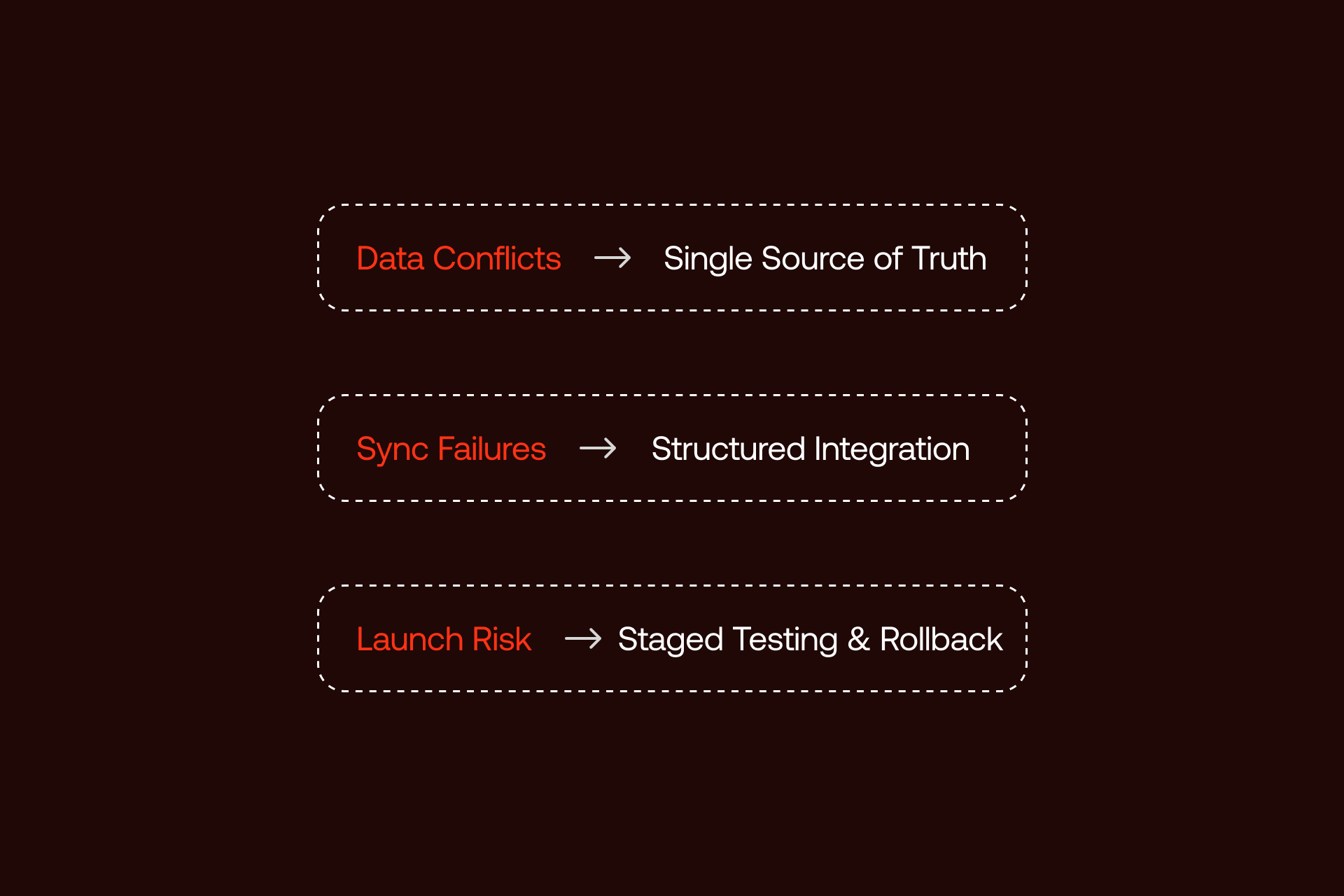
Unlocking the powerful flexibility of Webflow Shopify integration means making sure you understand the challenges involved. The majority of issues don’t actually stem from the platform itself, they come from poor and unclear ownership, and a poor understanding of operational complexity. However, these challenges become more manageable with the right safeguards in place.
3.1 Common Integration Challenges (and Solutions)
There are a wealth of integration challenges that can have a negative impact on your integration process, but the main one is sync reliability. This can impact multiple factors, including product data mismatches, inconsistencies in inventory, and delayed updates. The solution to these issues is to provide proactive visibility in the form of middleware dashboards, and documented fallback procedures.
One of the other issues that you could face when trying to integrate is disconnect with the checkout experience. Because of the fact that users move from a Webflow storefront to a Shopify checkout, this can cause inconsistencies. The best solution to this is clear, consistent branding, transparent pricing, and leveraging familiar trust signals.
You also have to account for SEO complexity, and how you can protect product URLs, canonical tags, and structured data. This needs to be handled intentionally in order to reduce the risk of indexing issues and duplicate content. Clear schema markup, URL strategies, and sitemap ownership cut down on this issue. Webflow SEO services help enterprise teams look after organic performance during and after integration.
Last but not least, performance degradation can happen if Shopify scripts are implemented wrong. The best ways to address and fix this issue is via optimized script placement and ongoing Core Web Vitals.
Troubleshooting Matrix
- Issue: Product not updating - Cause: Sync failure - Solution: retry job, validate field mapping
- Issue: Inventory mismatch - Cause: Latency - Solution: Adjust sync frequency, define the source of truth
- Issue: Checkout abandonment - Cause: Visual disconnect - Solution: Brand alignment, strong trust signals
- Issue: Slow pages - Cause: Script load - Solution: Optimize performance
3.2 Scalability Considerations
Many factors influence scalability, and the integration method chosen can be one of the most prominent. Buy Button implementations tend to break down as catalogs increase in size. While middleware solutions scale well into the hundred of products, they need more governance as update frequencies grow. Storefront API architectures provide the most headroom, supporting complex catalogs, regional experiences, and high traffic volumes.
Your enterprise team needs to plan for early growth, because what works at 50 products may not work at 500. Understand scaling thresholds and review points, and review your technical roadmap.
3.3 When to Reconsider Your Approach
Integration shouldn’t be treated as permanent by default, and there will be times when you need to reconsider. For instance, persistent sync failure, excessive manual intervention, or a growing dependency on custom logic that can be tough to maintain are some of the clear warning signs.
If Buy Button limitations become restrictive, it could be time to move to middleware. However, if this then becomes too much, a Storefront API build is one that might be more manageable, and moving back to a single platform might work out better.
Successful enterprise teams will regularly assess architectural decisions, ensuring integrations supports business goals, and doesn’t act as a constraint.
4 Making the Business Case: ROI and Resource Planning
For enterprise teams, the choice to integrate Webflow Shopify is more than simply a technical decision; it’s an investment that needs to be justified across revenue impact, operational efficiency, and long-term scalability. You need to know about the cost, expected ROI, and internal requirements to make integration work for you.
4.1 Total Cost of Ownership
The total cost of a Webflow Shopify integration is more than simply the initial implementation. You also have to account for platform subscriptions to both Webflow and Shopify, as well as middleware tools, and internal setup decisions that can enhance costs.
Ongoing costs are too often overlooked, and these are things like maintenance, sync, monitoring, platform updates, and occasional troubleshooting. Your team also needs to factor in costs including training and opportunity cost. For stakeholders looking to validate investment ranges, you can see our pricing for tiers.
4.2 ROI Justification Framework
ROI tends to be driven by three core factors. The first of these is custom Webflow storefronts which enable stronger brand differentiation. The second is when marketing agility improves significantly, and the third sees Shopify’s mature ecommerce infrastructure reducing operational risk.
Executives need to think about how they can assess ROI in terms of revenue lift and reduced operational friction, instead of merely the technical benefits. Industry benchmarks reveal that custom storefront experiences outperform generic themes.
4.3 Resource Requirements & Team Structure
Being able to successfully implement an integration requires clear and concise ownership across disciplines. The core skills here typically include Webflow development, Shopify administration, and JavaScript expertise. A lot of teams choose to partner with an agency for the building process, before transitioning to an internal ownership model.
It’s important to define maintenance responsibilities, such as who manages product data, and who owns performance optimization. Investing in upfront documentation and training helps provide the ideal platform for integration, rather than causing difficulties or bottlenecks as the company scales.
Mandatory Actionable Tool: Webflow-Shopify Integration Readiness Assessment
Before committing to a Webflow Shopify integration, it is essential for enterprise teams to determine clearly and concisely whether integration is the right path for their business. It’s also important they determine which path makes the most sense.
This Webflow-Shopify Integration Readiness Assessment is the best and most accurate way to determine your integration feasibility across four main dimensions: technical capabilities, operational readiness, strategic alignment, and business requirements. It offers a structured scoring system, highlighting gaps and potential risks early in the process, determining whether your company is better suited to middleware, Storefront API implementation, or a Buy Button.
The assessment removes guesswork, and enables your team to make an informed decision before investing in changes.
What the Assessment Evaluates
The readiness assessment scores your organization across a multitude of areas, including:
- Operational Readiness
- Strategic Alignment
- Business Requirements
- Technical Capabilities
Each category is given a score which contributes to the overall score, and this feeds directly into a recommended approach for optimal integration.
How to Use the Results
- 80-100 points: Strong candidate for integration
- 60-79 points: Integration could be optimal with the right planning
- 40-59 points: There are a lot of risks at present; consider alternative options
- Below 40 points: Integration is not the right choice and should be avoided
The assessment will also include a recommendation matrix that helps to align your score with the most appropriate option for integration.
Download Webflow-Shopify Integration Readiness Assessment
Want expert guidance on interpreting your results? Arrange a call with Shadow Digital to review your assessment score, and determine the optimal integration route for your business.
This is essential for your business because enterprise Webflow development and Webflow Shopify integrations need planning and execution to succeed. Shadow Digital is a Webflow Enterprise Partner, and utilizes this assessment framework to help determine your integration strategy and planning moving forward.
5 Conclusion
Webflow Shopify integration is far from simple, as the solution is different for every company. It’s a strategic architectural choice that impacts operational reliability, and your brand’s long-term scalability. When integration is implemented intentionally, it combines Webflow’s design flexibility with Shopify’s ecommerce infrastructure, with no compromises.
In this guide, we’ve outlined three primary integration approaches - Storefront API, middleware, and Buy Buttons. Making the right choice to fit with your business depends on your product catalog size, ecommerce complexity, and internal capabilities.
However, it’s worth noting that integration also introduces complexity, and things like data synchronization, performance optimization, and governance all need disciplined execution. Enterprise teams that are successful with Webflow Shopify integration are those that plan ahead and invest correctly from the start.
It’s essential to keep in mind that integration always needs to be working to serve the goals of your business, not the other way around. Design differentiation, marketing agility, and scalable commerce operations need to justify the additional layers of architecture that are brought about by integration.
Shadow Digital’s Webflow-Shopify Integration Readiness Assessment is the perfect way of helping you make this decision. This structured framework will help evaluate your organization on a deep level, assessing business, technical, operational, and strategic elements, and recommend whether you should be integrating, and, if so, which approach you need to take.
CTA: Ready to build a custom ecommerce experience with Webflow Shopify integration? Our enterprise portfolio makes us the perfect choice to help you assess and evaluate your integration options, design a roadmap, and execute a scalable solution.
Schedule a call with Shadow Digital today.
FAQs
Strategic & Business Considerations
- Is Webflow Shopify integration right for my business?
It’s well suited if design differentiation is important, and Shopify’s ecommerce operations are essential.
- How much does Webflow Shopify integration cost (total investment)?
Costs vary depending on your business requirements, but can range anything from low four figures for Buy Buttons to six figures for Storefront API builds, including ongoing maintenance and implementation.
- What's the ROI of custom Webflow design vs. Shopify themes?
Custom Webflow storefronts improve engagement and conversion by enabling more robust storytelling and campaign flexibility.
- Should we hire an agency or build integration in-house?
Enterprise teams will typically benefit from an agency-led integration, with internal ownership.
Technical & Implementation
- What's the difference between Buy Button, middleware, and Storefront API integration?
In the simplest terms, Buy Buttons embed products, middleware syncs Shopify’s data into Webflow’s CMS, and Storefront API enables fully custom storefronts.
- How do I sync Shopify products with Webflow CMS?
Product syncing is usually done through the use of middleware tools that map Shopify product data to the Webflow CMS.
- Can I customize the Shopify checkout within a Webflow site?
Checkout customization is limited, as Shopify controls checkout for security and compliance.
- What happens to SEO when integrating Webflow with Shopify?
SEO is at its strongest when URL structures, canonical tags, site ownership, and schema markup are managed intentionally.
Operations & Maintenance
- How do I manage inventory across Webflow and Shopify?
Shopify needs to remain the system of the record, while inventory updates propagate outward to Webflow.
- What ongoing maintenance does the integration require?
Maintenance means updating integrations, managing catalog changes, monitoring sync health, and ensuring compatibility.
- What are the most common integration issues and how do I prevent them?
There are multiple common integration issues that come with integration, including sync failures, performance impact, and checkout disconnects. You can prevent these through monitoring and clear ownership.
- Can I migrate from Webflow Ecommerce to Webflow + Shopify later?
Yes. A lot of teams begin with Webflow Ecommerce, and migrate to Shopify integration as operational complexity increases.
Scalability & Growth
- How many products can Webflow Shopify integration handle?
Buy Buttons are ideal for small catalogs, while middleware scales to hundreds of products, and Storefront API supports enterprise-scale catalogs.
- When should I upgrade from Buy Button to a more advanced integration?
An increase in things like CMS-driven merchandising, catalog size, or design flexibility would be the optimal time to upgrade.
- Is this integration suitable for multi-currency or international selling?
For sure. Shopify handles multi-currency, taxes, and international checkouts, which helps make integration more suitable for global expansion.
Want to go deeper into Webflow’s architecture, and best enterprise practices? Explore our resources for related insights.