Squarespace to Webflow Migration Guide (2026)

Let's Build Your Webflow Website!
Partner with experts who understand your vision. Let’s create a converting user experience and build your website for future growth.
Squarespace to Webflow Migration: The Enterprise Guide to a Seamless Platform Transition
At some point, a growing site starts to feel tight. Pages stack up. Requests take longer. Small design changes turn into workarounds. This is often when teams using Squarespace pause and ask if the platform still fits the business they are becoming.
Migrating from Squarespace to Webflow means transferring your content, design, SEO, and functionality to a platform with greater control and scalability. A seamless migration keeps your search rankings intact, unlocks more design options, and lets your marketing team keep working without disruption.
Abstract
Most growing businesses reach a stage where Squarespace no longer fits.
Design flexibility breaks down, SEO control feels limited, and templates that once helped now slow you down. But switching platforms carries risk. Teams worry about losing traffic, rankings, and facing downtime.
This guide walks you through the migration roadmap, from pre-launch planning to launch and post-launch cleanup
Shadow Digital has guided large clients through these migrations without surprises or setbacks. In this guide, we’ll outline the full migration process, typical timelines, common problem areas, and strategies to preserve and optimize SEO.
As a Webflow Enterprise Partner, Shadow Digital has completed over 50 migrations, including TSIA’s 200+ page site in six weeks, achieving a 112% increase in mobile performance.
Read the TSIA Case Study.
Quick-Reference Migration Overview
For leaders who want the full scope without reading every detail, this table will provide a summary of a classic Squarespace-to-Webflow migration process. The process can vary in terms of timelines, but the general procedure is the same.
Migration Reality Check
An average Squarespace to Webflow migration will take 6 to 12 weeks, depending on the size and complexity of the site. The platform shift itself is not the big risk, but SEO. Rankings may remain stable or even increase with proper management.
However, when rushed or poorly planned, months of organic traffic can disappear. This guide shows you how to prevent that and move forward with confidence.
Why Migrate? The Strategic Case for Squarespace to Webflow

Before diving into the steps, it helps to understand why teams make this switch.
'A platform change doesn't happen out of the blue. Most companies reach a stage where their current platform limits productivity, stalls growth, or creates risk.
This section identifies those moments and addresses common migration fears.
When Squarespace Becomes a Constraint
Squarespace works well for small, simple websites, but it becomes limiting as a business grows.
The first area of strain is design. Squarespace offers templates, but despite custom styling options, there's a ceiling.
SEO control is another bottleneck. Squarespace handles the basics, but it's weak on advanced elements like structured data, page-speed optimization, and custom technical settings.
The CMS structure is rigid. Content types are dictated by Squarespace's rules, not your business logic. With an increase in content, teams end up working around the system rather than in it.
Friction is created by custom features. Anything that is not native typically requires hacks or third-party developers, slowing down even regular updates.
Performance also degrades over time. Big sites with many pages or scripts often experience a decrease in page-speed scores, despite optimization efforts.
These issues affect revenue in B2B companies that use their site to generate leads. The platform becomes an obstacle when marketers wait days for tiny changes or speed scores keep declining.
What Webflow Enables
Webflow removes many of these restrictions:
- Design is fully custom. The teams are able to create precisely what the brand requires, page by page, and not limited by templates.
- Marketing teams can update pages with a visual editor that reflects the live site, not a simplified version.
- SEO control deepens. The normal workflow includes clean URLs, custom code, structured data, and redirect rules.
- The CMS is flexible. Types of content are business and scale-fit.
- There is an immediate increase in performance. Hosting is optimized to be faster and to have improved Core Web Vitals.
- Integrations are open. Webflow integrates with the majority of marketing tools through either native links or Zapier.
This changes how teams use the site. It shifts from a passive asset to an active marketing system.
Addressing Migration Concerns
Large site moves create stress, and that is reasonable. These are the questions that come up most often.
Migration Concerns FAQ Callout
- Will SEO rankings drop?
No, if redirects, metadata, and structure are handled with care.
- How long does it take?
Most full migrations take 6 to 12 weeks.
- Will the site go offline?
No. With proper DNS planning, visitors see no downtime.
- Is the cost high?
Costs vary, but gains in speed and team efficiency often pay back within 6 to 12 months.
- Can internal teams manage Webflow?
Yes. With light training, many teams find updates faster than on Squarespace.
For high stakes sites, clarity and process matter more than tools. The right plan reduces risk and keeps growth moving.
Phase 1: Planning Your Migration for Success
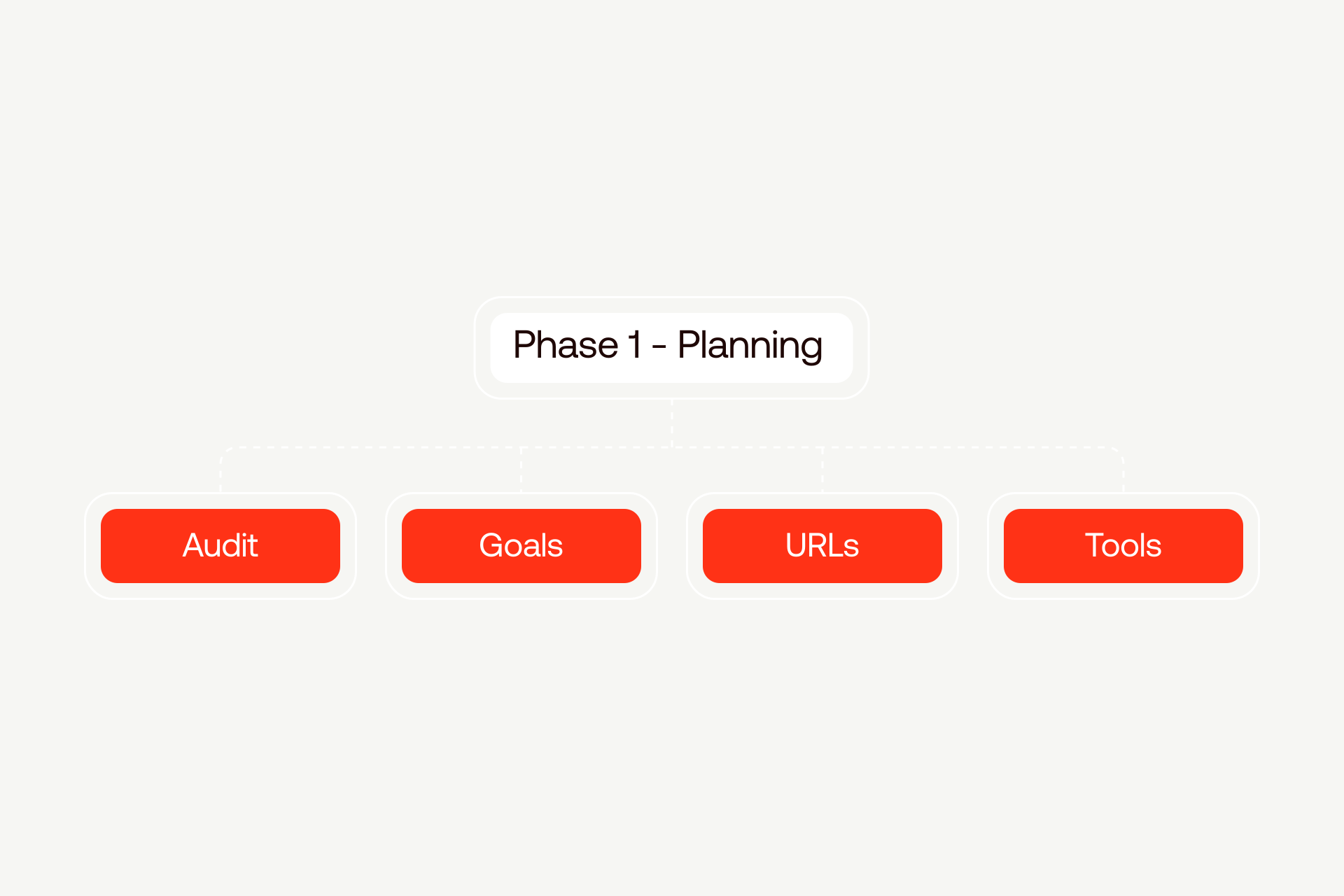
Most migration problems do not start during build or launch. They start earlier, when planning is rushed or skipped. Phase 1 is about slowing down enough to remove guesswork.
The time spent here lowers risk later and gives everyone a shared map of what is being moved and why.
Comprehensive Site Audit
A full audit is the foundation of a safe migration. It answers a simple question, what exists today?
Start with a content inventory. List every page, blog post, landing page, image, file download, and piece of dynamic content. This includes pages that are not linked in navigation but still get traffic.
Next, document design. Screenshot key pages, note layout patterns, fonts, colors, spacing rules, and any custom sections. If something feels special or hard to recreate, write it down.
SEO needs its own snapshot. Export current rankings, identify top-performing pages, and capture all titles, descriptions, headers, and structured data. (For hands-off support, consider Webflow SEO services).
Analytics matter just as much. Record current traffic levels, conversion rates, and top landing pages. These numbers become your before and after comparison.
Finally, audit the technical layer. List forms, integrations, embedded tools, tracking scripts, and third party services.
For larger sites, this step prevents surprises. In one 200-plus page migration, our Webflow migration services uncovered 47 page templates and 12 integrations that were not documented anywhere. Without this work, the launch would have failed.
Site Audit Checklist
- Pages and URLs
- Blog posts and archives
- Images and media files
- Downloads and gated assets
- Page templates and layouts
- Brand styles and components
- SEO metadata and rankings
- Analytics benchmarks
- Forms and submissions
- Integrations and scripts
Defining Migration Goals and Success Metrics
Planning is not only about copying the old site. It is about deciding what success looks like.
- Set performance targets - Define page speed scores and Core Web Vitals ranges you want to hit.
- Clarify SEO goals - List rankings that must be protected, keywords that matter most, and traffic levels you expect to maintain or improve.
- Document functionality goals - Decide what must stay the same, what should improve, and what new features are worth adding now.
- Lock in timeline goals - Choose a launch window, set milestones, and account for events like campaigns or product releases.
- Think about your team - Decide who needs access, what training is required, and how workflows will change after launch.
Clear goals allow leadership to measure return. Without them, the migration feels expensive instead of strategic.
Migration Goals Template
- Performance: Page speed score above 90
- SEO: Preserve top 20 ranking pages
- Traffic: Maintain monthly sessions within 5 percent
- Functionality: Improve form handling
- Timeline: Launch before Q4 campaign
- Team: Train marketing on CMS editing
URL Structure and Redirect Strategy
This is the most sensitive part of planning.
- Create a full URL map. Every existing Squarespace URL must have a destination on the new site.
- When possible, keep URLs the same. If changes improve clarity or structure, document them carefully.
- Plan 301 redirects for every old URL. No exceptions.
- Test redirects before launch. Do not assume they work because they were added.
- Handle edge cases like parameters, paginated pages, and canonical rules.
Search engines treat redirects as trust signals. One missed high value page can cause sharp traffic loss. Strong planning avoids that risk.
Tools and Resources for Migration
Good tools make planning clearer, and while Squarespace exports help, they are limited. Manual exports or scraping tools are often needed for complex sites.
For example, images should be downloaded in bulk and optimized before upload while CMS planning happens on paper first. It’s good to map Squarespace content types to Webflow collections before building.
Also, prepare DNS early - Lower TTL settings ahead of launch to reduce switch delays. Use Webflow staging to test everything before the site goes live. For enterprise sites, this phase is not optional. It is the difference between a calm launch and weeks of cleanup.
Phase 2: Executing the Migration
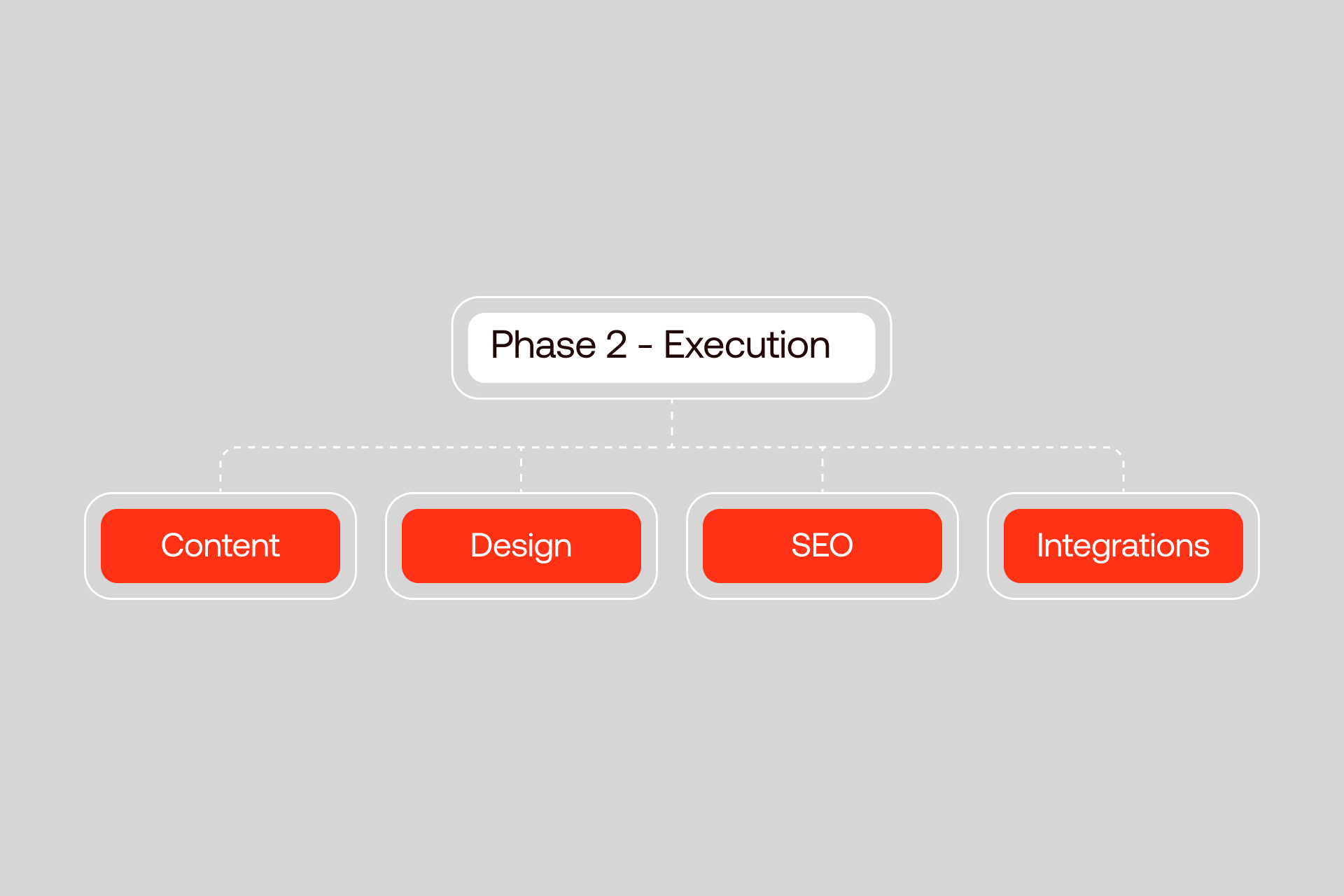
Once planning is complete, execution becomes a matter of patience and order. This phase is where most of the work lives, and where rushing causes problems later. Each piece builds on the last, so steady progress matters more than speed.
Content Migration Strategy
Content migration is slow by nature. That is normal.
- Blog posts usually come first - Export posts from Squarespace, then recreate them in Webflow while keeping publish dates, authors, and categories intact. These details matter for trust and search history.
- Pages require more care - Copy and paste works for simple layouts, but complex pages are better rebuilt section by section. This avoids broken spacing, odd fonts, and hidden formatting issues.
- Images and media should be handled deliberately - Download originals, compress them before upload, and restore alt text exactly as it was. Organize files clearly so the CMS stays manageable.
- CMS structure is where Webflow shines - Instead of copying Squarespace’s limits, design collections that reflect how the business works. This might mean separating resources, case studies, and insights instead of forcing them into one bucket.
- Content hierarchy matters - Navigation, internal links, and breadcrumbs should match or improve the existing structure so users and search engines feel no disruption.
For larger sites, plan one to two hours per complex page. That time covers cleanup, formatting, and checks.
Content Migration Checklist
- Blog posts and dates
- Authors and categories
- Static pages
- Images and alt text
- Downloads and embeds
- Internal links
- Navigation structure
Design Recreation and Enhancement
A key decision is whether to copy the design exactly or make changes during migration. Some teams need a one-to-one match for brand or compliance reasons, while others see this as an opportunity to improve clarity and accessibility.
Webflow’s breakpoint system gives designers more control over responsiveness than Squarespace’s automatic behavior, making it possible for layouts to feel intentional on every screen size. Building reusable components, rather than one-off sections, further streamlines updates; buttons, cards, forms, and layout patterns can be reused across pages.
Maintaining brand consistency remains essential, so fonts, spacing, and colors should follow a simple system to keep future updates clean. For example, one bank migration focused on improving the existing content instead of replicating it, which led to higher accessibility scores and a site the marketing team could manage independently.
SEO Preservation and Enhancement
SEO work runs alongside build, not after. Here’s the best approach:
- Transfer all titles, descriptions, and social metadata. Missing one can affect click rates.
- Implement 301 redirects using the URL map created earlier. Every old path must lead somewhere relevant.
- Configure the XML sitemap and check that only indexable pages appear.
- Add structured data where appropriate. This is often new ground for teams coming from Squarespace.
- Review robots.txt settings to confirm crawl rules are correct.
- Before launch, verify everything. After launch, update Google Search Console, submit the new sitemap, and watch indexing closely.
Most ranking drops happen because of small misses. Catching them early avoids revenue loss.
SEO Migration Checklist
- Page titles
- Meta descriptions
- Open Graph tags
- Canonical URLs
- 301 redirects
- Sitemap
- Structured data
- Robots.txt
- Search Console setup
Forms, Integrations, and Advanced Functionality
Forms should be rebuilt carefully, so make sure you confirm fields, validation, and where submissions go and reconnect all third party tools. Analytics, chat, email platforms, scheduling tools, and CRM connections often break if forgotten. Custom scripts and interactions need testing across devices.
If e-commerce is involved, products, pricing, and checkout flows must be verified end to end. Membership or gated content should be tested with real user accounts. Undocumented integrations are the most common surprise during migration. A written list prevents that.
Integration Inventory Template
E-commerce Migration Considerations
E-commerce adds another layer of planning since product data must be recreated carefully. This includes SKUs, descriptions, images, variants, and pricing. Bulk imports help, but review each item.
- Decide whether Webflow Ecommerce meets current needs or if a separate backend makes sense. Some teams keep Shopify for orders and pair it with Webflow for design.
- Order history does not transfer from Squarespace. Plan how support teams will access past data after launch.
- Reconnect payment processors and test transactions in full. This includes taxes, shipping, and confirmation emails.
- Checkout customization is more flexible than Squarespace but still has limits. Know them early.
- For some teams, migration is a chance to improve the store setup, not just move it.
For complex e-commerce needs that require Shopify’s backend with Webflow’s design control, see our Webflow vs Shopify comparison.
Phase 3: Testing and Quality Assurance
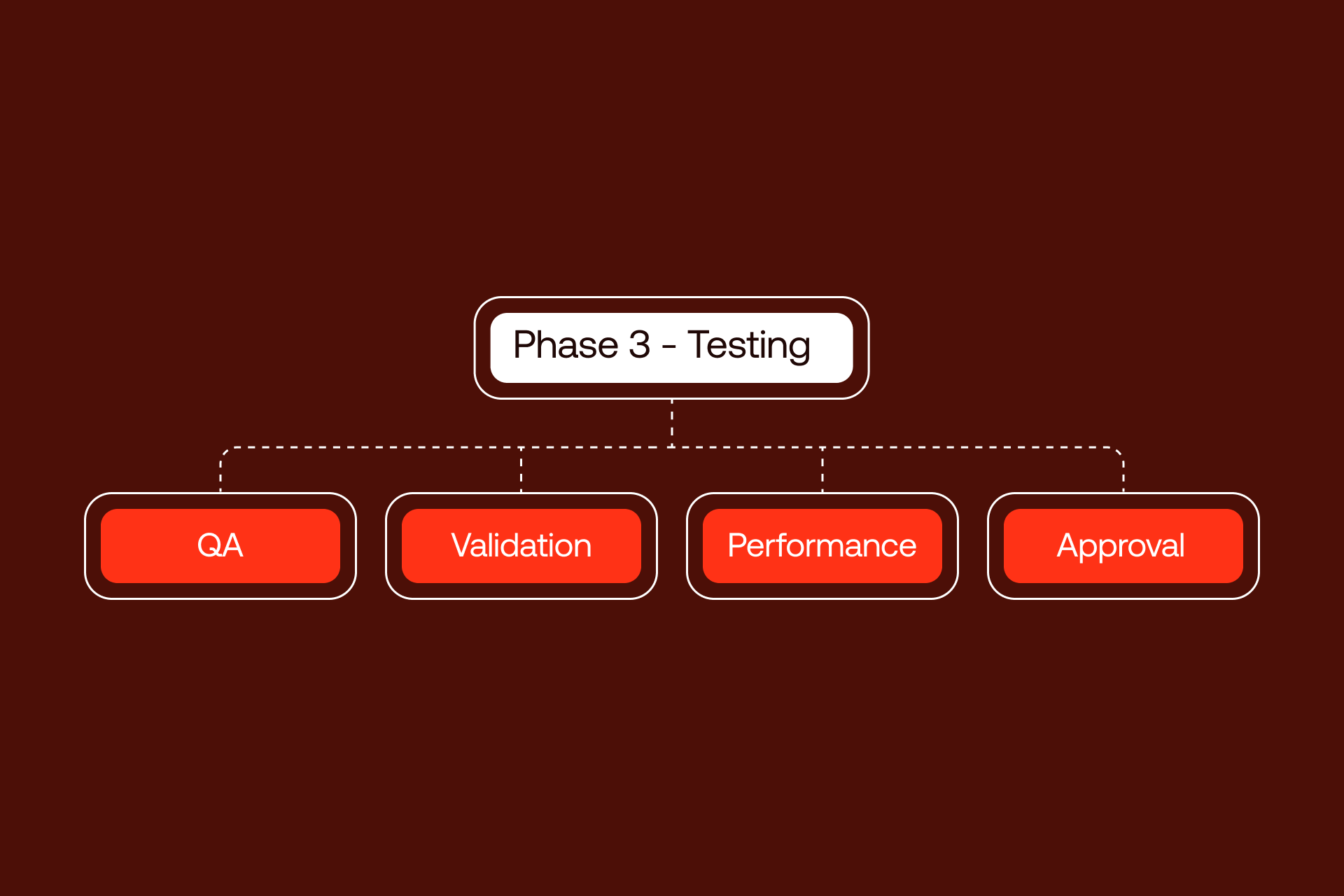
Testing is the quiet phase that protects all the work done so far. Nothing new is built here. The goal is to confirm that what was planned and migrated works the way it should. For larger sites, this phase prevents public mistakes that are hard to undo.
Comprehensive QA Protocol
Quality assurance should follow a system, not instinct. Follow the next protocol:
- Start with functional testing. Submit every form. Confirm notifications arrive. Check that integrations pass data where expected. Click through interactive elements to be sure they respond correctly.
- Next, verify content. Every page from the audit should exist. Formatting should match intent. Images should load quickly and display properly.
- Links need full review. Internal links should lead to live pages. External links should open correctly. No page should return a 404 unless planned.
- Responsive testing matters. Review the site at each breakpoint and on real devices when possible. Look for text wrapping issues, overlapping elements, or hidden content.
- Performance testing comes last. Measure page speed, Core Web Vitals, and load times. Compare these numbers to the baseline captured during planning.
Enterprise QA relies on checklists, not memory. Enterprise Webflow development avoids gaps and keeps reviews consistent.
Pre-Launch QA Checklist
- Form submissions
- Integration data flow
- Interactive elements
- Page content completeness
- Image loading and sizing
- Internal links
- External links
- Responsive layouts
- Page speed metrics
SEO Verification Before Launch
SEO checks deserve their own pass. Now it’s time to test every redirect from the URL map. Each old URL should resolve to the correct new page without chains or loops.
- Confirm metadata - Titles and descriptions should be present and accurate on all indexable pages.
- Review indexation settings - Pages meant to rank should be indexable. Utility pages should not.
- Check canonical tags - Ensure there is one clear version of each page.
- Validate structured data - You can do this by using testing tools to confirm it is readable by search engines.
Launching without this step is risky. Even short periods with broken redirects can cause ranking drops that take weeks to fix. Automated testing helps catch issues fast and at scale.
SEO Pre-Launch Verification Checklist
- 301 redirect validation
- Title tags present
- Meta descriptions present
- Index and noindex rules
- Canonical URLs
- Structured data validation
- Sitemap accuracy
Stakeholder Review and Approval
Before launch, the right people need to review the right parts.
- Design teams should confirm visual accuracy and brand alignment.
- Marketing teams should verify content, messaging, and lead paths.
- Operations or revenue teams should test forms, integrations, and workflows.
- Legal or compliance teams should review disclosures, privacy links, and required notices if applicable.
- Finally, leadership should sign off with confidence that nothing critical was missed.
Enterprise launches involve many voices. Planning review cycles ahead of time avoids last minute conflicts and keeps launch dates stable.
Phase 4: Launch and Post-Migration Optimization
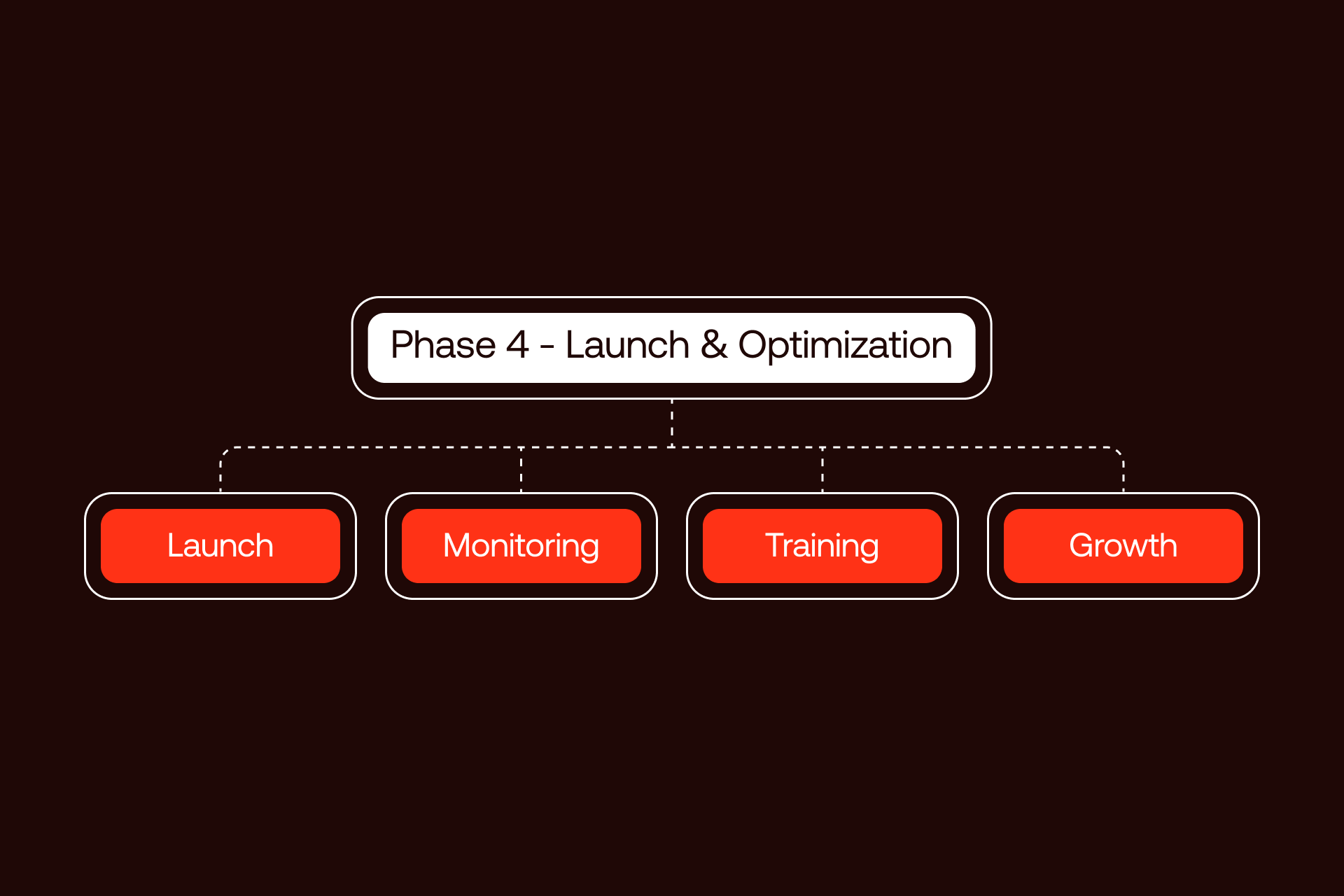
Launch is not a finish line. It is a controlled handoff from build mode to real world use. This phase focuses on stability first, then improvement.
Launch Day Execution
Launch day should follow a written sequence.
- Start with the DNS cutover. Update DNS records to point the domain to Webflow hosting. Keep TTL values low in the days before launch so changes propagate quickly.
- Confirm SSL is active. Every page should load over HTTPS with no warnings.
- Activate redirects and test a sample of high value URLs right away.
- Verify analytics. Page views, events, and form submissions should register as expected.
- Monitor closely. Watch logs, scan key pages, and listen for reports from internal teams.
Enterprise sites should always have a fallback plan.
Launch Day Checklist
- DNS records updated
- SSL active and verified
- Redirects live
- Analytics firing
- Forms tested
- Key pages reviewed
Rollback Contingency Callout
Before launch, keep the Squarespace site intact. Do not delete it. Know how to revert DNS if critical issues appear. Keep TTL low so rollback is fast. Define a 24 to 48 hour window where reverting is an option. Decide in advance who can make that call and how updates will be shared internally.
As a safety net, keep the Squarespace site active but hidden from search engines for two to four weeks after launch. The small cost of overlap is worth the peace of mind while everything is verified on Webflow.
Post-Launch SEO Monitoring
The first weeks after launch matter more than any other period.
- Check Google Search Console daily. Look for crawl errors, indexing issues, or warnings.
- Compare traffic to the baseline captured during planning. Small fluctuations are normal. Sharp drops are not.
- Track priority keywords and note any position changes.
- Audit redirects to ensure search engines follow them correctly and no chains form.
- Have a response plan. When issues appear, fix them quickly rather than waiting for trends to worsen.
For larger sites, daily checks for the first month reduce long-term risk. To see how we handle post-launch SEO monitoring, check our enterprise portfolio.
Post-Launch Monitoring Schedule
- Daily, first 14 days: Search Console, traffic, errors
- Weekly, first 30 days: Rankings, redirects, performance
- Monthly (ongoing): SEO and speed trends
Team Training and Enablement
A migration is not complete until the team can use the site with confidence.
- Train editors on how to update content without breaking layouts.
- Teach CMS management so new content fits the system.
- Share simple rules on what to change and what to avoid.
- Define when to self serve and when to ask for help.
- Decide on ongoing Webflow support, whether through a retainer or set hours.
One banking team reduced update time from days to hours after proper training, saving time every week.
Ongoing Optimization and Growth
With Webflow in place, growth work becomes easier. Here are the key steps to follow:
- Continue improving performance and Core Web Vitals.
- Apply SEO techniques that were not possible before.
- Add features that support marketing and sales goals.
- Test layouts and content to improve conversions.
- Plan ahead so the site can grow without new limits.
Migration opens the door. Long-term value comes from using that freedom well.
Migration Investment and ROI
Understanding costs and returns helps decision-makers see migration as an investment, not just an expense. Costs vary based on site size, complexity, and goals.
Understanding Migration Costs
Several factors drive cost: total page count, design approach (replicate vs. redesign), ecommerce requirements, and third-party integrations. Also, the cost can depend on the custom pricing of a partner you work with (you can see our pricing here).
Typical ranges include:
- Simple migration: Under 20 pages, basic design, $3,000-$8,000
- Moderate migration: 20-100 pages, custom design, $10,000-$25,000
- Complex migration: 100+ pages, ecommerce, multiple integrations, $25,000-$60,000+
- Enterprise migration: 200+ pages, multiple stakeholders, compliance considerations, $50,000-$100,000+
- Ongoing costs include Webflow hosting ($30-$300+/month depending on plan) and optional maintenance retainers.
The hidden cost of not migrating is often higher. Constrained platforms limit marketing agility, slow page updates, and reduce lead generation. For enterprise sites, this can mean lost revenue and mounting technical debt.
ROI Justification Framework
ROI comes from several sources:
- Performance: Faster sites improve conversion rates.
- Marketing efficiency: Teams spend less time updating content. Sterling Bank saved 10+ hours per week.
- SEO: Better technical control and performance boost rankings.
- Opportunity: Integrations and new features enable strategies that were impossible on Squarespace.
- Risk avoidance: Reduces dependence on workarounds and external developers.
Metrics make the case tangible. For example, saving 10 hours weekly at $75/hour equals $39,000 per year in efficiency gains alone, before counting additional revenue from improved traffic and conversions.
ROI Calculation Template
- Time saved per week × fully-loaded hourly rate
- Traffic or conversion lift × estimated revenue
- Additional opportunity value (integrations, new functionality)
- Total projected ROI over 12 months
Conclusion: Your Migration Success Framework
Squarespace to Webflow migration is a structured process. It begins with thorough planning, moves through careful execution, includes systematic testing, and finishes with launch and optimization. Each phase has clear steps to reduce risk and ensure continuity.
With proper planning, risks, especially around SEO and downtime, are manageable. The biggest threats are predictable, and processes exist to address them before they impact business.
The long-term gains are tangible: complete design freedom, marketing team autonomy, faster performance, and full SEO control. Enterprise teams regain time, reduce dependencies, and unlock new digital capabilities.
Shadow Digital has executed 50+ enterprise migrations with proven methods that protect traffic, preserve brand fidelity, and enhance performance. Our experience ensures that your migration is safe, efficient, and aligned with business goals.
Take the next step with our Migration Readiness Assessment to evaluate your site and determine the best path forward. Schedule your consultation today and move your website confidently into a platform built for growth.
Squarespace to Webflow Migration Readiness Assessment
This assessment helps enterprise teams evaluate site complexity, resource readiness, and the level of professional support required for a successful migration.
Score each category to estimate effort, timeline, and approach.
1. Site Complexity (30 points)
Number of pages
- <20 pages: +5
- 20–100 pages: +15
- 100+ pages: +30
- Number of blog posts
- <50 posts: +5
- 50–200 posts: +10
- 200+ posts: +15
CMS content types
- None: +0
- 1–3 collections: +5
- 4+ collections: +10
2. Design Requirements (20 points)
Design approach
- Replicate existing design: +5
- Minor enhancements: +10
- Full redesign: +20
3. Technical Complexity (25 points)
Custom functionality
- Standard pages/blog only: +5
- Forms and basic integrations: +10
- Complex integrations/custom code: +15
Ecommerce
- No ecommerce: +0
- Simple ecommerce: +10
- Complex ecommerce: +15
4. SEO Criticality (15 points)
Organic traffic importance
- Minimal: +5
- Moderate: +10
- High: +15
5. Internal Resources (10 points)
Webflow experience
- Team has Webflow experience: -5
- No Webflow experience: +5
Available project time
- Dedicated internal resources: -5
- Limited bandwidth: +5
Scoring Interpretation
Timeline Estimator Based on Score
Not sure where you fall? Schedule a free migration assessment with our team to determine complexity and plan next steps.
FAQ – Frequently Asked Questions
SEO & Traffic Concerns
Will I lose my SEO rankings when migrating from Squarespace to Webflow?
If SEO is handled correctly, rankings can be preserved or improved. Critical steps include maintaining 301 redirects, transferring metadata, verifying canonical tags, and monitoring Google Search Console post-launch. Most ranking drops occur when redirects are incomplete or content structure changes unexpectedly. With a planned migration and pre- and post-launch verification, traffic should remain stable.
How do 301 redirects work in Webflow?
A 301 redirect permanently points an old URL to a new URL. In Webflow, you create a list of old-to-new URLs so any visitor or search engine reaching the old page is automatically sent to the correct page. This preserves SEO value and ensures users do not encounter 404 errors.
How long does it take for Google to recognize my migrated site?
Google typically re-crawls and indexes the new site within a few days to a few weeks, depending on site size and authority. Proper redirects and sitemap submission speed recognition, but monitoring Search Console is critical in the first 30 days to catch potential issues.
What happens to my domain during migration?
The domain is pointed to the new Webflow hosting via DNS updates. If done carefully, users and search engines see no downtime. Keeping low TTL settings and having a rollback plan ensures you can revert quickly if issues arise.
Timeline & Process
How long does a Squarespace to Webflow migration take?
Most migrations take 6-12 weeks. Small sites can be done in 2-4 weeks, moderate sites in 4-8 weeks, and enterprise sites with hundreds of pages or complex integrations may take 12+ weeks.
Can I migrate my site myself, or do I need an agency?
Smaller, simple sites may be DIY-friendly. Larger sites, enterprise projects, ecommerce, or sites with complex integrations benefit from agency expertise to ensure accuracy, protect SEO, and prevent downtime.
Will my website go down during migration?
No, if DNS is managed properly. A staging environment allows testing before launch, and a rollback plan ensures your Squarespace site can remain live if needed.
What's the difference between a simple and complex migration?
Simple migrations involve fewer pages, basic design, and no ecommerce or integrations. Complex migrations include hundreds of pages, multiple content types, custom functionality, and require SEO preservation and stakeholder coordination.
Cost & Investment
How much does Squarespace to Webflow migration cost?
Costs vary by complexity: $3,000-$8,000 for simple sites, $10,000-$25,000 for moderate sites, $25,000–$60,000+ for complex sites, and $50,000-$100,000+ for enterprise migrations.
Is Webflow more expensive than Squarespace?
Webflow hosting plans range from $30-$300+/month, typically higher than Squarespace. The trade-off is greater flexibility, speed, and enterprise-level capabilities that often drive ROI.
What's the ROI of migrating to Webflow?
ROI comes from faster sites (higher conversions), marketing efficiency (hours saved weekly), SEO improvements (higher rankings), and new capabilities (integrations, design, functionality). Enterprise teams often see payback within 6-12 months.
Technical & Functionality
Can I migrate my Squarespace ecommerce store to Webflow?
Yes, but order history does not transfer. Products, SKUs, variants, and pricing need to be recreated. Payment gateways and checkout flows must be configured carefully. Complex ecommerce may benefit from a Shopify backend integrated with Webflow for design flexibility.
What happens to my forms and integrations during migration?
Forms and integrations need to be recreated in Webflow. All CRM, analytics, chat, and email marketing connections must be documented, reconnected, and tested prior to launch.
Will my Squarespace design look the same in Webflow?
It can, but migration is an opportunity to enhance design. Replication is possible, but Webflow allows responsive refinements, accessibility improvements, and reusable components.
Post-Migration
How do I update my Webflow site after migration?
Use the Webflow Editor to update content directly on live pages. CMS collections allow dynamic content management. Training ensures your team can manage updates safely and efficiently.
What ongoing maintenance does Webflow require?
Webflow hosting includes security updates, backups, and platform maintenance. Teams should monitor performance, update integrations, review SEO regularly, and maintain content as business needs evolve.