Webflow Multi-Site Management for Enterprise (2026)

Let's Build Your Webflow Website!
Partner with experts who understand your vision. Let’s create a converting user experience and build your website for future growth.
Webflow Multi-Site Management for Enterprise: The Complete Guide (2026)
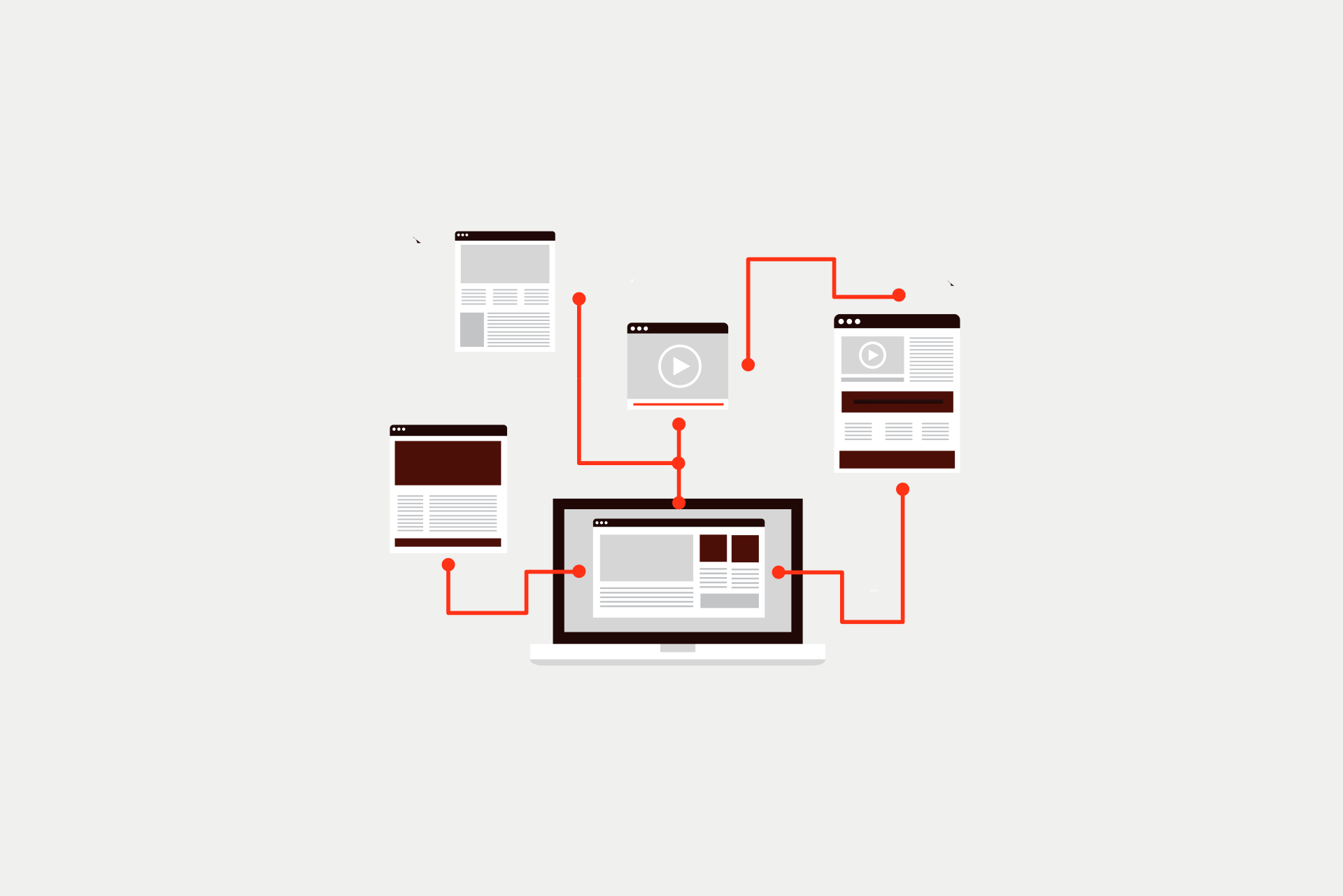
As you grow, you'll probably end up with multiple websites. Consider: New brands, regional sites, and campaign microsites. Without a unified system, organizations risk duplicating effort, compromising brand consistency, or overlooking critical security requirements. For enterprises, Webflow is a great choice to handle many sites at once.
MANDATE (Featured Snippet)
Webflow Multi-Site Management enables enterprise organizations to manage multiple websites from a centralized workspace. It combines shared design systems and role-based access with streamlined publishing workflows.
Key capabilities include:
- Centralized Libraries: Share components and styles across all sites.
- Governance: SSO, custom permissions, and 99.99% uptime SLAs.
- Integrations: APIs that connect web workflows to internal tools.
- Enterprise Support: Dedicated resources for organizations managing 5+ websites.
ABSTRACT
Managing three, five, or even ten websites at once can make it hard to keep everything tidy. This can result in brand, messaging, and information chaos. Errors become more likely, and security gaps may emerge. Unclear roles and responsibilities create confusion for both internal teams and clients. Webflow Enterprise lets one company control many websites from one place. It helps keep all sites looking the same while still letting teams manage their own content. It also keeps publishing secure and organized, which is helpful for companies with many websites. As a Webflow Enterprise Partner, we've helped organizations implement multi-site management strategies that scale without increasing technical debt.
Capabilities Overview Table
Enterprise Reality Check: Beyond Multiple Projects
Managing a multi-site ecosystem is fundamentally different from simply juggling separate web projects; it requires a strategic foundation of architecture, governance, and workflows designed to scale. Without a unified structure for design systems and permissions from day one, organizations risk significant technical debt and the high cost of future restructuring. To ensure long-term stability and security, we strongly recommend seeking expert guidance to design an implementation that aligns with enterprise-grade standards.
What Is Webflow Enterprise?
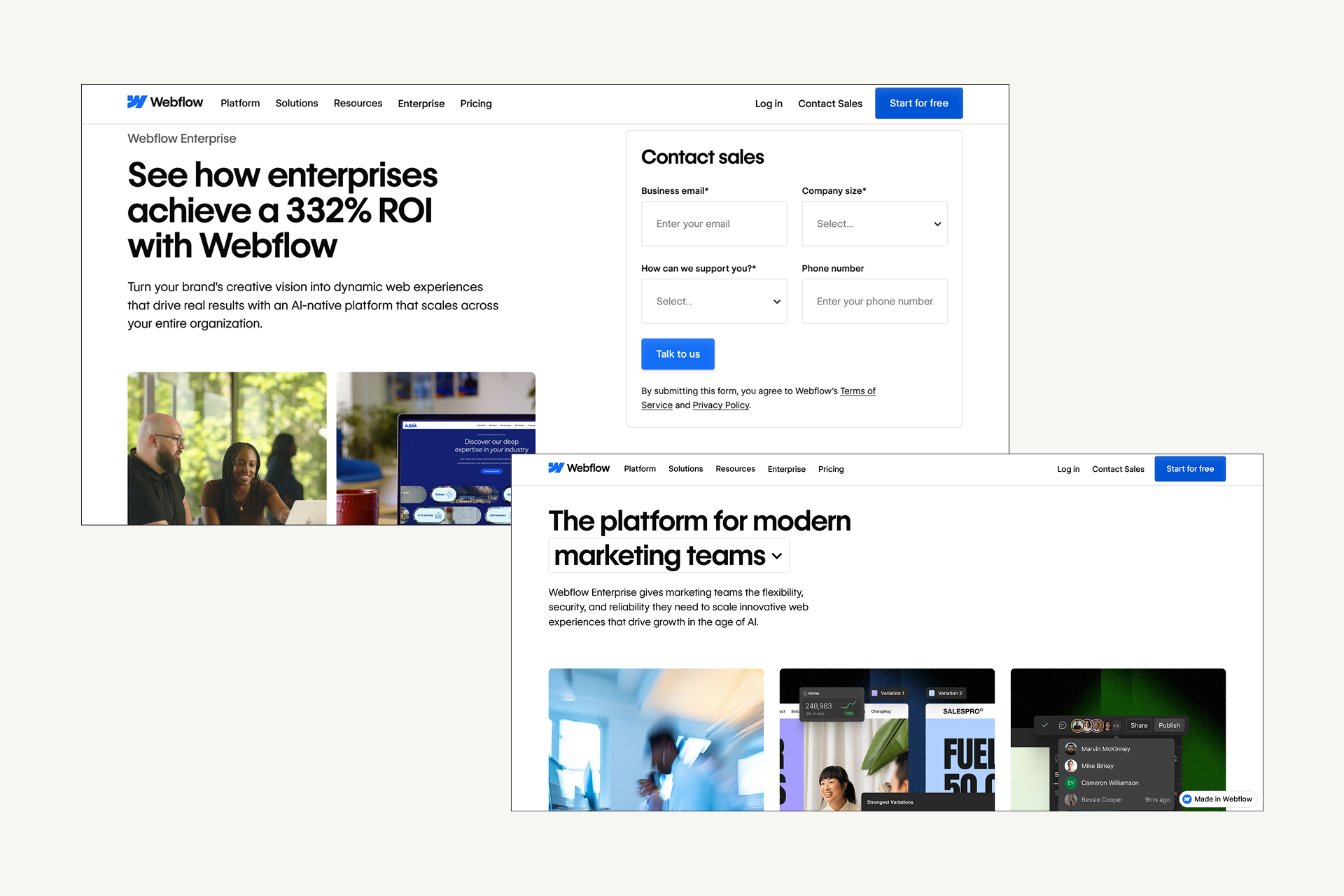
Webflow Enterprise is a specialized platform for large organizations. It’s particularly popular among businesses that have outgrown basic website management. While Enterprise is part of Webflow's plan offerings, it's not simply a larger plan. It’s a different way of being online.
Webflow Enterprise means one thing - higher limits. It includes features that are the core of scaling:
- single sign-on (SSO)
- detailed access controls
- audit logs,
- compliance certifications
- advanced APIs
- guaranteed uptime
Unlike the other Webflow plans, with Webflow Enterprise, you get dedicated support and flexible contracts that fit enterprise procurement processes. You get a long-term partner.
If you’re managing multiple websites, working across teams, or dealing with security and compliance requirements, Enterprise is usually where Webflow starts to make the most sense.
The Multi-Site Management Challenge
Most enterprise organizations deal with different scenarios, usually a combination of:
- Multiple brands under one parent company
- Country or regional websites
- Separate sites for business units or product lines
- Franchise or partner websites
Now, the problem isn’t creating and running these websites; it’s how to keep them aligned.
Without a shared system, teams duplicate design work, branding slowly drifts, access control becomes inconsistent, and it’s difficult to determine who made what changes.
Each additional site increases operational overhead without a unified management structure.
Note: Without the right foundation, each new website increases complexity instead of value.
Why Organizations Choose Webflow for Multi-Site Management
When it comes to managing multiple websites, Webflow hits a rare balance: it gives marketing teams speed without giving up control. In practice, this means:
- Design systems make it easy to keep branding consistent
- Visual editing reduces reliance on developers
- Centralized permissions improve security
- Modern APIs make it easy to integrate Webflow with other enterprise systems
In short, Webflow Enterprise enables organizations to scale their web presence without proportional increases in complexity.
How Webflow Enterprise Solves the Multi-Site Challenge
Strategic Insight: Every additional website multiplies complexity — unless you have the right management infrastructure.
Core Features for Multi-Site Management
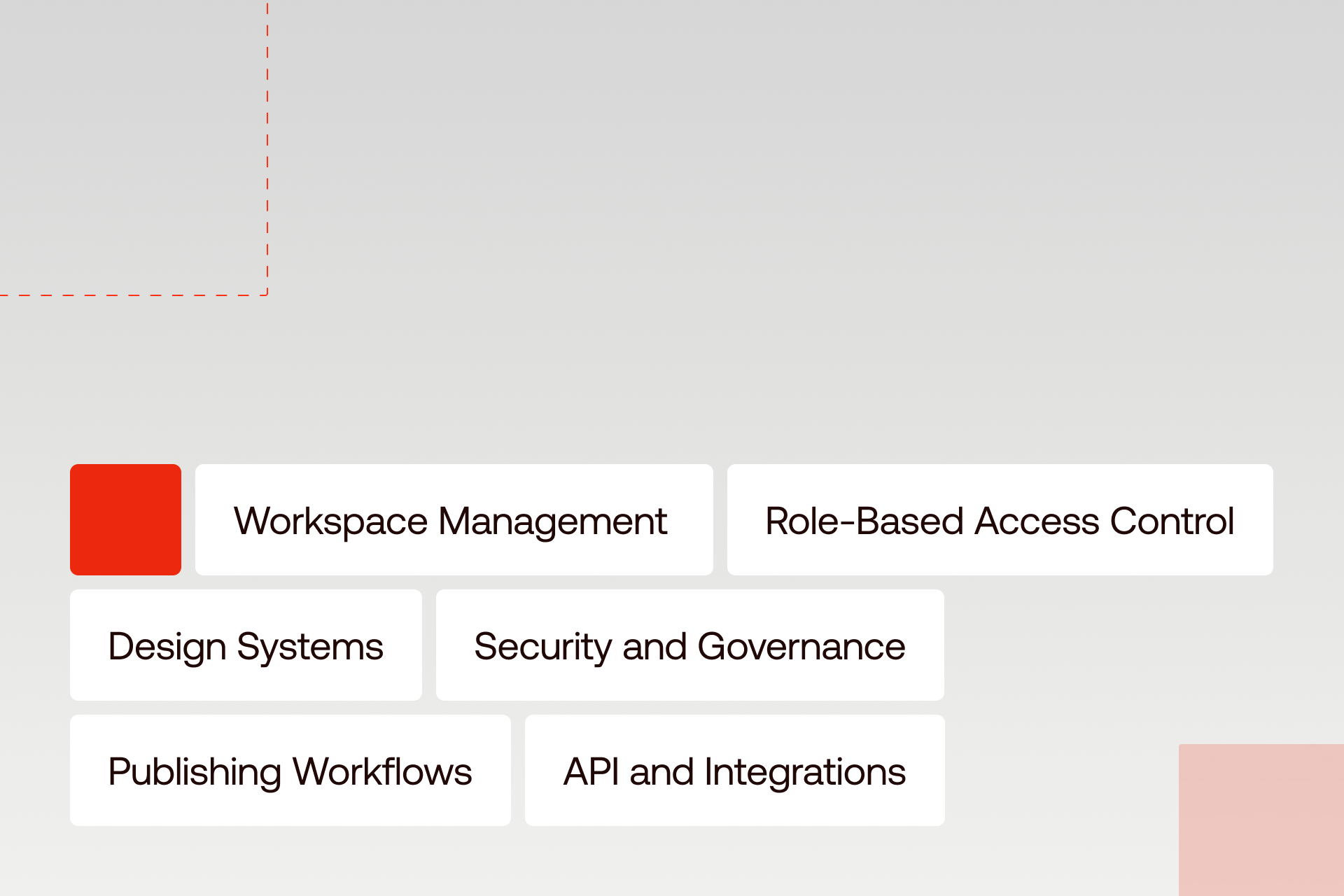
Effective multi-site management doesn't rely on a single feature. Rather, it’s about how several capabilities overlap and work together.
Webflow Enterprise brings these pieces into one platform, giving teams clarity, control, and flexibility at the same time.
Below are the core features that make enterprise multi-site management possible in practice.
Workspace Management
Instead of jumping between separate accounts, Webflow Enterprise lets teams manage all their websites from a single workspace.
This makes it easier to:
- See all sites in one place
- Manage users and permissions centrally
- Understand who’s working on what
- Control access across brands or regions
For web operations teams, this creates clarity. For leadership, it creates visibility.
Role-Based Access Control
Webflow Enterprise lets companies decide exactly who can view, edit, or publish each website.
This keeps work organized, prevents mistakes, and makes it safe to work with many teams or outside partners.
Roles include:
- Workspace Admin
- Site Admin, Designer
- Content Editor
- View-only access
Permissions can be set at both the workspace and site level, allowing different teams to have different levels of control depending on their responsibilities. This is especially useful when working with external agencies, contractors, or regional teams. Access can be limited in scope and time, and audit logs track who made changes and when.
In practice, marketing teams can edit content while designers update layouts. Only approved users can publish to production, reducing risk without slowing workflows.
Design Systems and Brand Libraries
Webflow Enterprise helps all websites use the same styles, layouts, and components.
When the brand is updated, changes can be shared across sites, keeping everything consistent.
Locked components and inherited templates help enforce brand standards, while still allowing flexibility where needed. When a core component or style is updated, those changes can flow across multiple sites automatically.
Most enterprise implementations include a master design system, along with brand- or region-specific variations and clear documentation.
With Enterprise Webflow development, you configure once and deploy everywhere. Changes to your brand system automatically flow to all sites.
Webflow Enterprise Design System Architecture
┌─────────────────────────────────────────────────────────────┐
│ MASTER DESIGN SYSTEM │
│ ┌─────────────┐ ┌─────────────┐ ┌─────────────┐ │
│ │ Colors │ │ Typography │ │ Spacing │ │
│ └─────────────┘ └─────────────┘ └─────────────┘ │
│ ┌─────────────┐ ┌─────────────┐ ┌─────────────┐ │
│ │ Buttons │ │ Cards │ │ Forms │ │
│ └─────────────┘ └─────────────┘ └─────────────┘ │
│ ┌─────────────┐ ┌─────────────┐ ┌─────────────┐ │
│ │ Headers │ │ Footers │ │ Navigation │ │
│ └─────────────┘ └─────────────┘ └─────────────┘ │
└─────────────────────────────────────────────────────────────┘
│
▼
┌─────────────────────┼─────────────────────┐
│ │ │
▼ ▼ ▼
┌───────────────┐ ┌───────────────┐ ┌───────────────┐
│ SITE A │ │ SITE B │ │ SITE C │
│ (Brand 1) │ │ (Brand 2) │ │ (Region) │
│ │ │ │ │ │
│ • Inherits │ │ • Inherits │ │ • Inherits │
│ master │ │ master │ │ master │
│ • Custom │ │ • Custom │ │ • Localized │
│ brand color │ │ brand color │ │ content │
└───────────────┘ └───────────────┘ └───────────────┘
How It Works
- Global Foundation: The Master Design System defines the core visual language and logic for the entire organization.
- Asset Distribution: Components and styles are pushed from the central library to individual site workspaces.
- Controlled Flexibility: Individual sites inherit these standards but retain the ability to customize specific elements (like local content or brand-specific colors) where permitted by governance rules.
- Global Propagation: When a core component is updated in the Master System, those changes flow across the entire site network automatically.
Core Benefits
- Update Once, Deploy Everywhere: A Massive reduction in manual Webflow maintenance across large portfolios.
- Brand Consistency Enforced: Eliminates "brand drift" by using locked components and inherited templates.
- Faster Site Launches: New sites can be "spun up" quickly using the pre-existing design foundation.
- Reduced Duplication: Developers and designers avoid rebuilding the same elements for every new project.
Security and Governance
Webflow Enterprise protects websites with secure logins, approval steps, and backups.
Changes are reviewed before going live, and mistakes can be fixed quickly if needed.
Single sign-on (SSO) using SAML 2.0 allows organizations to integrate Webflow with providers like Okta, Azure AD, or OneLogin. Organizations can manage user access centrally, with automatic provisioning and deprovisioning as roles evolve.
Webflow Enterprise supports SOC 2 Type II compliance, GDPR tooling, security audits, and options around data handling. Governance tools such as audit logs, activity tracking, and access reviews provide visibility and accountability across all sites.
Additional controls like enforced two-factor authentication, IP restrictions, and session management help organizations meet internal security standards.
For enterprise teams, security and compliance aren't optional—Webflow Enterprise meets those requirements.
Publishing Workflows
Publishing mistakes are common when many people work across many sites. Webflow Enterprise reduces this risk by supporting structured publishing workflows.
Teams can use staging environments to preview changes, collect feedback, and run QA before anything goes live. Approval workflows allow content to move through review steps, with publishing permissions restricted to specific roles.
Version history and backups make it easy to roll back changes if something goes wrong. Scheduled publishing helps teams coordinate launches across regions or brands.
The result is clear: no more accidental publishes or unapproved changes reaching production.
API and Integrations
At the enterprise level, websites rarely operate in isolation. Webflow API makes it possible to connect sites to the rest of your technology stack.
The Webflow CMS API supports content management at scale, while the Site API and webhooks enable automation and workflow triggers. Teams often use Webflow integrations to connect with DAMs, PIM systems, CRMs, marketing automation platforms, and analytics tools.
Custom automations can handle content syndication, multi-site updates, and internal processes, reducing manual work and improving consistency.
The API transforms Webflow from a website builder into an enterprise content platform.
Webflow Enterprise Multi-Site Feature Matrix
Note: Enterprise features transform Webflow from a simple website builder into a robust enterprise web platform.
Infrastructure and Performance
Enterprise websites must deliver speed, reliability, and resilience regardless of user location or traffic volume.
Enterprise Hosting
Webflow Enterprise runs on AWS-powered infrastructure, supported by a global CDN with over 100 edge locations. This setup ensures fast delivery for users around the world and automatic scaling during traffic spikes.
Load balancing and built-in redundancy help maintain stability, even during major campaigns or product launches. Enterprise customers benefit from uptime guarantees of up to 99.99% and defined incident response processes.
Performance features such as image optimization, caching strategies, and Core Web Vitals optimization are built in, reducing the need for ongoing manual tuning.
Traffic Management and Security
Webflow Enterprise includes enterprise-grade DDoS protection and edge-level security. SSL/TLS certificates are managed automatically, with support for custom configurations when needed.
The platform is designed to handle high-traffic events without performance degradation, making it suitable for global campaigns, launches, and peak usage periods. Bandwidth limits and traffic handling are flexible enough to support large-scale operations.
Performance Optimization
Performance optimization is built into the platform rather than added later. Webflow automatically optimizes images, outputs clean and minified code, and leverages CDN and browser caching.
Teams can monitor performance and receive alerts, helping them maintain fast load times and strong Core Web Vitals scores across all sites.
Enterprise Infrastructure & Performance Matrix
Note: Enterprise infrastructure means your websites perform reliably, regardless of traffic volume or global reach.
Enterprise Use Cases and Industries
Webflow Enterprise multi-site management applies across industries and organizational models. Below are some of the most common real-world use cases.
Multi-Brand Portfolio Management
Holding companies and parent organizations often manage multiple brands under one umbrella. Each brand requires a distinct identity while maintaining quality standards and visual consistency.
Webflow Enterprise allows teams to share infrastructure and governance while maintaining brand-specific design systems. This reduces cost and effort while ensuring each brand site meets the same performance and security standards.
Common industries include consumer goods, media organizations, and hospitality groups.
Global and Regional Site Networks
Global companies often need regional or country-specific websites that reflect local markets while staying aligned with the global brand.
Using master templates and shared components, Webflow Enterprise makes it easy to roll out regional sites quickly. Local teams can customize content and layouts within defined boundaries, and Webflow Localization supports multi-language needs.
This model is common in technology, financial services, and retail organizations.
Business Unit and Product Sites
Large organizations often operate distinct business units or product lines, each with its own goals and audiences. These teams need autonomy, but not at the expense of governance.
Webflow Enterprise supports centralized control with distributed management, allowing business units to move quickly while adhering to shared standards.
Shadow Digital has implemented multi-site strategies for organizations like TSIA and Sterling Bank, helping them manage complex web portfolios efficiently.
Check our projects!
→ Sterling Bank implementation
For more success stories, check our enterprise portfolio.
Enterprise Multi-Site Use Case Scenarios
Note: Shadow Digital has implemented successful multi-site strategies for complex organizations such as TSIA and Sterling Bank.
Team Management and Collaboration
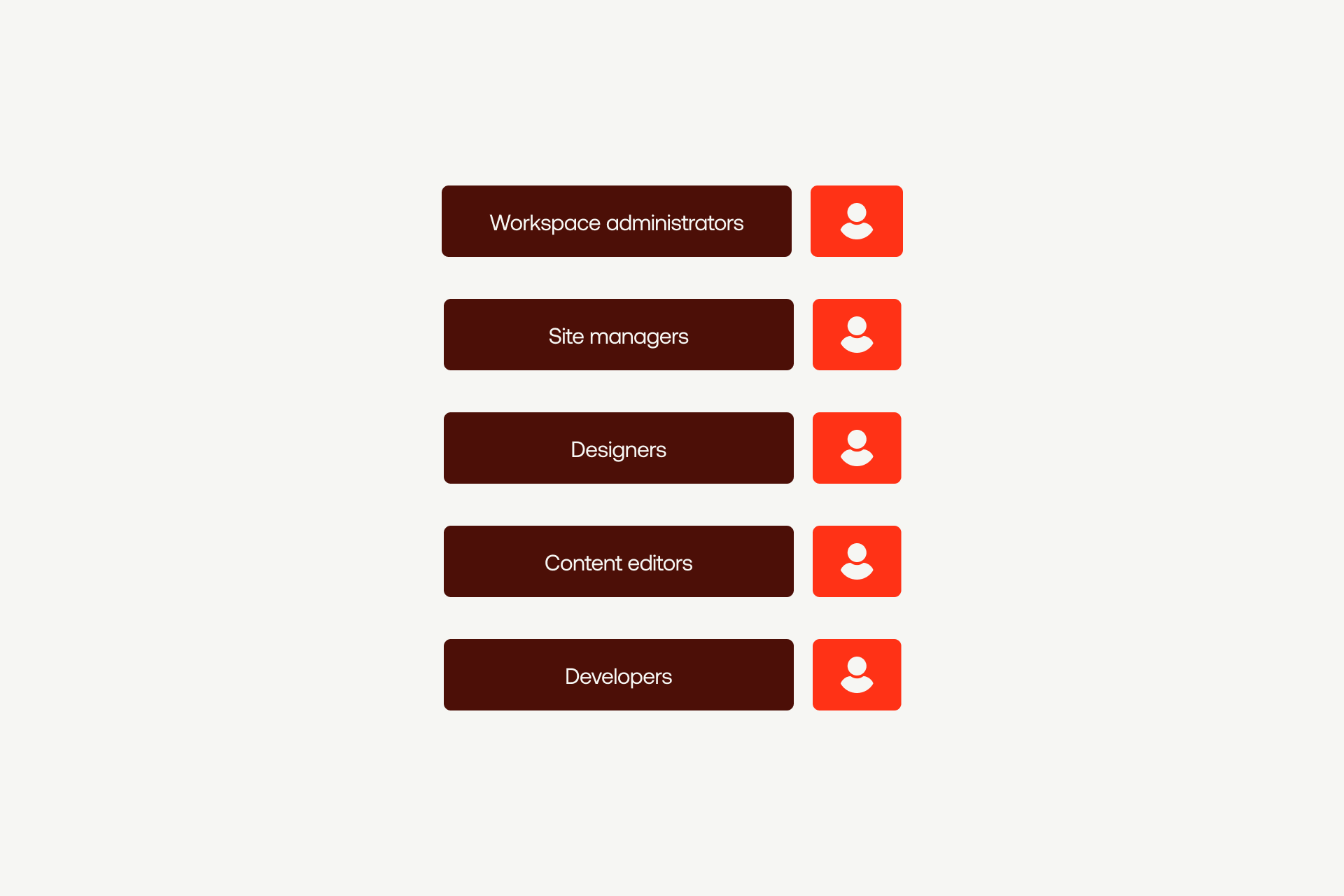
Handling multiple sites isn't just about tech; it's about people, too. We checked out how Webflow teams usually set things up and how collaboration, permissions, and support happen in big companies with lots of locations.
Enterprise Team Structure
Enterprise Webflow teams typically include workspace administrators, site managers, designers, content editors, and developers.
Depending on the organization, teams may be organized by site, function, region, or a mix of all three.
Clear role definitions help avoid confusion and bottlenecks, especially when multiple teams are contributing to the same ecosystem.
Collaboration Tools
Webflow supports real-time collaboration, comments, and notifications directly within the platform. Teams can review changes, leave feedback, and work together without long email threads.
Many enterprise teams also integrate Webflow with tools like Slack, project management platforms, and design handoff tools to keep workflows connected.
Enterprise Support
Webflow Enterprise includes dedicated support with priority response times, along with access to account and technical success managers. Structured onboarding and training help teams get up to speed quickly.
This support model ensures enterprise teams aren’t left troubleshooting critical issues on their own.
Webflow Enterprise Roles and Permissions
Strategic Insight: Role-based access ensures the right people can do their jobs efficiently without risking unauthorized changes, accidental publishes, or security vulnerabilities.
Implementation Considerations
Getting multi-site management right starts with planning. That’s why we outline what it takes to plan, migrate, and roll out a multi-site setup successfully, including architecture decisions and the role of an experienced enterprise partner.
Planning Your Multi-Site Architecture
Early architecture decisions shape how well your setup scales. Teams need to define site structure, design system strategy, governance rules, and integration requirements upfront.
Key questions include how many sites exist today, how many are planned, what should be shared, who needs access, and what compliance requirements apply.
Migration and Rollout Strategy
Most organizations take a phased approach. A pilot site is launched first, the design system is finalized, and additional sites are rolled out gradually.
SEO preservation, content migration, redirect mapping, and timeline planning are critical to avoid disruption.
Working With an Enterprise Partner
Enterprise multi-site implementations are complex. An experienced partner brings architecture expertise, proven processes, and faster time to value.
Shadow Digital supports organizations through discovery, architecture design, phased implementation, training, and ongoing support.
Enterprise multi-site implementation is complex. Shadow Digital has the experience to get it right.
Webflow Enterprise Multi-Site Implementation Checklist
Phase 1: Discovery & Planning
[ ] Audit current website portfolio: Identify all existing brands, local sites, and campaigns.
[ ] Define requirements: Document specific needs for localization, traffic handling, and custom functionality.
[ ] Identify stakeholders: Form a cross-functional team (IT, Marketing, Design, Legal).
[ ] Document compliance: Detail SOC 2, GDPR, and internal security standards.
[ ] Establish success metrics: Define what ROI looks like (e.g., faster launch times, lower agency costs).
Phase 2: Architecture Design
[ ] Design site structure: Decide how sites will be organized within the workspace.
[ ] Plan the design system: Identify shared components (headers, footers, buttons) to be centralized.
[ ] Define governance: Create a matrix of who can edit vs. publish across different brands.
[ ] Map integrations: Determine which sites need CRM, DAM, or PIM connectivity via API.
[ ] Create rollout strategy: Prioritize sites for a phased migration.
Phase 3: Foundation Setup
[ ] Configure workspace: Initialize the Webflow Enterprise environment.
[ ] Security hardening: Set up SAML 2.0 SSO (Okta, Azure AD) and 2FA.
[ ] Build master system: Develop the core design library that all sites will inherit.
[ ] Establish workflows: Configure staging environments and approval gates.
[ ] User provisioning: Assign specific roles (Workspace Admin, Site Admin, etc.).
Phase 4: Pilot Implementation
[ ] Launch pilot site: Build one representative site using the new shared design system.
[ ] Test governance: Verify that permissions and approval workflows work as intended.
[ ] Validate APIs: Ensure data flows correctly between Webflow and internal tools.
[ ] Feedback loop: Gather feedback from the marketing team regarding content editing experience.
[ ] Document patterns: Refine the master library based on pilot learnings.
Phase 5: Portfolio Rollout
[ ] Scale rollout: Deploy the design system to the remaining sites in the portfolio.
[ ] Migrate content: Move existing assets while maintaining data integrity.
[ ] SEO preservation: Implement 301 redirects and verify Core Web Vitals.
[ ] Team training: Conduct workshops for regional editors and designers.
[ ] Performance monitoring: Use audit logs and uptime tracking to monitor stability.
Phase 6: Ongoing Operations
[ ] Maintenance processes: Establish how global design updates will be pushed to sites.
[ ] Reporting: Set up regular health checks for security and performance.
[ ] Optimization: Continuously update the component library based on new brand needs.
[ ] Strategic reviews: Schedule quarterly reviews with your Webflow Account Manager.
Note: Enterprise implementation is complex. Partnering with an experienced Webflow Enterprise agency like Shadow Digital accelerates success and avoids common architectural pitfalls.
Pricing and ROI Considerations
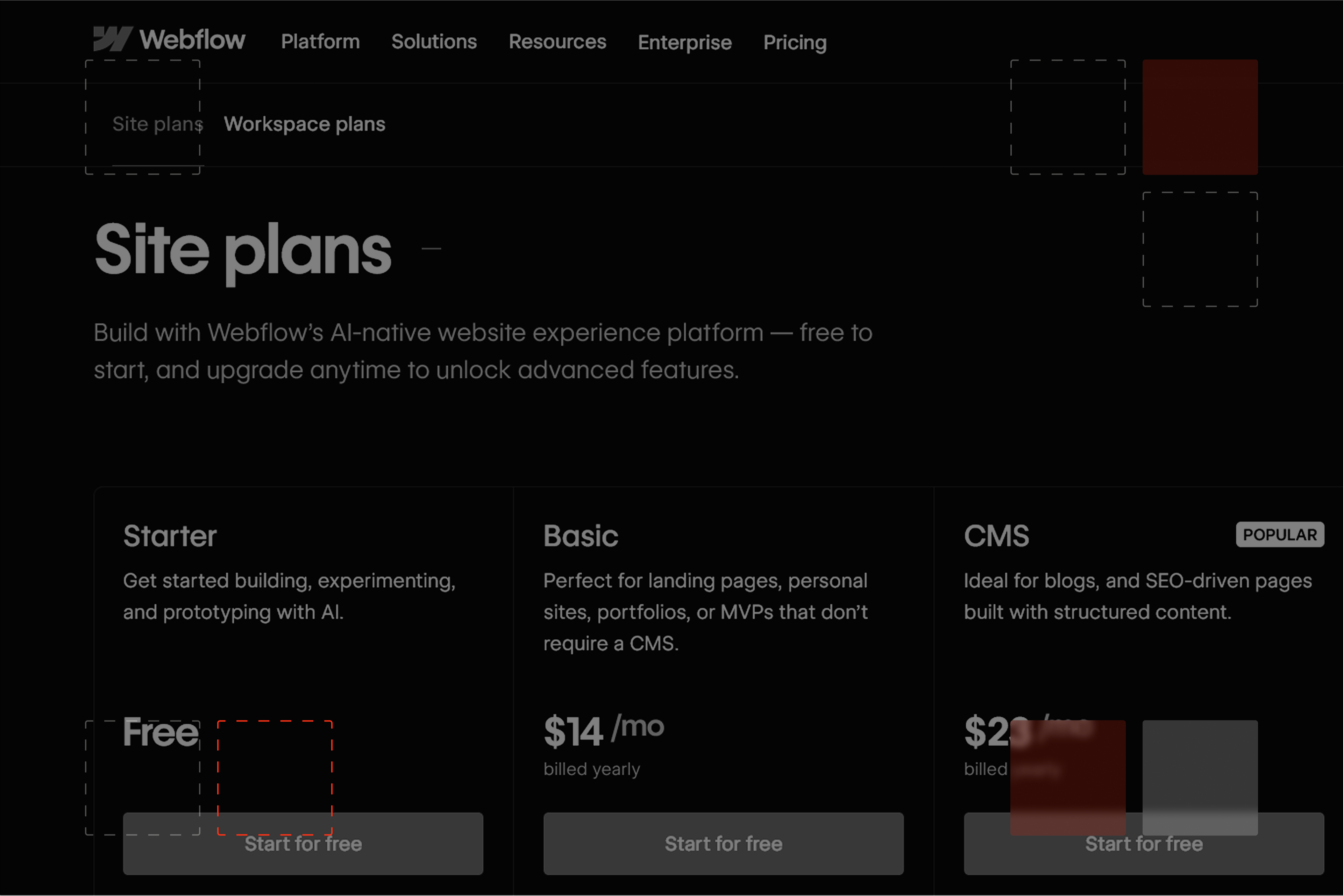
Pricing and ROI are among the most important considerations. In the following lines, we will explain how Webflow Enterprise pricing works and what kind of return organizations typically see from centralized multi-site management.
Enterprise Pricing Overview
Webflow Enterprise pricing is custom-quoted based on factors such as the number of sites, users, CMS limits, support levels, and contract terms.
Enterprise hosting typically starts at $10,000+ per year, with additional costs for implementation.
Note: For accurate pricing, contact Webflow directly.
ROI of Multi-Site Management
The return on investment is more than just saving money. You get faster releases, parts you can reuse, and easier ways for teams to work together, which speeds things up.
On top of that, having everything in one place cuts down on mistakes with branding, keeps things secure, and makes sure you're following the rules.
So, think of it this way: you save money, but you also get things done quicker, keep things the same across the board, and don't have to worry as much.
Webflow Enterprise ROI Framework
ROI Calculation Factors
To build a custom business case for your organization, consider these variables:
- Current per-site development cost: Total spend on designers and developers for a new build.
- Number of sites in portfolio: The total volume of brands, regions, and campaign pages.
- Maintenance/Update costs: The monthly burn rate for minor changes and plugin management.
- Compliance/Risk avoidance: The estimated financial impact of a brand violation or security incident.
- Time-to-market value: The potential revenue generated by launching campaigns weeks earlier.
Strategic Insight: The ROI of enterprise multi-site management isn't just about direct cost savings; it’s about the compounding value of speed, brand consistency, and reduced risk across your entire digital portfolio.
Getting Started With Multi-Site Management
Multi-site management is no longer optional for enterprise web operations. Without the right setup, growth can create chaos instead of progress.
Webflow Enterprise has the tools you need, but success comes from planning, clear rules, and knowing what you're doing. With proper implementation, teams gain centralized control while maintaining operational flexibility.
If you’re managing multiple websites and feeling the strain, the next steps are simple: assess your challenges, define your requirements, evaluate Webflow Enterprise, and plan your architecture carefully.
Ready to streamline your multi-site management?
Shadow Digital has implemented Webflow Enterprise solutions for organizations managing complex web portfolios. Schedule a consultation to discuss your requirements.
Frequently Asked Questions
What is Webflow Enterprise multi-site management?
Webflow Enterprise multi-site management lets organizations manage multiple websites from one centralized workspace. Teams can share design systems, control access by role, set approval workflows, and apply consistent security across all sites. This makes it easier to keep branding consistent, reduce duplicated work, and manage complex web portfolios at scale.
How many sites can I manage in Webflow Enterprise?
There’s no fixed limit. The number of sites you can manage is defined by your enterprise agreement and depends on your needs. Many organizations manage five, ten, or dozens of sites within a single workspace. What matters most is how the sites are structured and governed, not just the number.
Is Webflow Enterprise suitable for large organizations?
Yes. Webflow Enterprise is built for large organizations with multiple sites, teams, and security requirements. It includes features like SSO, audit logs, compliance support, role-based access, and dedicated support. These capabilities make it suitable for enterprise teams that need control, reliability, and scalability.
Can I share design components across multiple Webflow sites?
Yes. Webflow Enterprise allows teams to create shared design systems with reusable components, styles, and layouts. These can be used across multiple sites to maintain brand consistency and reduce duplicate work. Updates to shared components can be applied across sites, making maintenance easier.
Does Webflow Enterprise support single sign-on (SSO)?
Yes. Webflow Enterprise supports SAML 2.0 single sign-on and integrates with providers like Okta, Azure AD, and OneLogin. SSO allows centralized user management, improves security, and simplifies access control for large teams.
What security certifications does Webflow have?
Webflow is SOC 2 Type II certified and supports GDPR compliance. Webflow Enterprise also includes audit logs, enforced two-factor authentication, session management, and other enterprise security controls to help organizations meet internal and regulatory requirements.
How do I migrate multiple sites to Webflow?
Most organizations migrate sites in phases. They start with a pilot site, set up the design system and workflows, then roll out additional sites over time. Key considerations include SEO preservation, content migration, redirects, and timing. Complex migrations often benefit from an experienced enterprise partner.
What’s the typical timeline for an enterprise implementation?
Timelines vary based on the number of sites and complexity. A pilot setup can take a few weeks, while a full multi-site rollout may take several months. Phased implementations help teams launch faster and reduce risk.
Do I need a partner for Webflow Enterprise implementation?
Not always, but many organizations choose to work with a partner. Enterprise multi-site setups involve architecture, governance, and integrations that can be difficult to get right. An experienced partner can speed up implementation and help avoid costly mistakes.
How much does Webflow Enterprise cost?
Webflow Enterprise pricing is custom and based on factors like the number of sites, users, CMS limits, support level, and contract terms. Enterprise hosting typically starts around $10,000 per year, plus implementation costs. For accurate pricing, organizations should contact Webflow directly.
What’s the ROI of Webflow multi-site management?
ROI comes from faster site launches, reduced development and agency costs, and less ongoing maintenance. Centralized management also reduces brand, security, and compliance risk. The biggest gains are speed, consistency, and control across multiple websites.
What’s included in Webflow Enterprise pricing?
Enterprise pricing typically includes advanced security, SSO, audit logs, higher usage limits, API access, dedicated support, and uptime SLAs. Exact inclusions depend on your agreement and should be confirmed directly with Webflow.